-
Self-Hosted Anti-Spam in 2026: Why Proof-of-Work CAPTCHAs Are Not Enough and What On-Prem Protection Needs
TL;DR. Self-hosted protection is having its moment: Cap has 8,013 GitHub stars after 21 months, ALTCHA’s npm packages are downloaded 1.49 million times a month, Anubis collected 23,427 stars in a year and a half. Every one of these tools runs on your server and keeps your users’ data at home. Every one of them…
FEEDBACK LOG



The Latest
-
NEX-Forms Spam Protection: How to Protect WordPress Forms from Fake Submissions
NEX-Forms is built for more than a basic contact form. It can be used for interactive forms, multi-step forms, popup forms, sticky forms, booking forms, payment forms, quiz forms, survey forms, newsletter forms, file upload forms, and custom business workflows. That flexibility is useful, but it also means every public NEX-Forms form can become a…

-
Ninja Forms Spam Protection: How to Stop Fake Entries in WordPress
Ninja Forms is one of the most widely used WordPress form builders. It can be used for simple contact forms, but also for lead forms, quote requests, surveys, newsletter forms, payment forms, event registrations, file uploads, CRM forms, and many other workflows. That flexibility is useful for website owners, but it also means that Ninja…
-
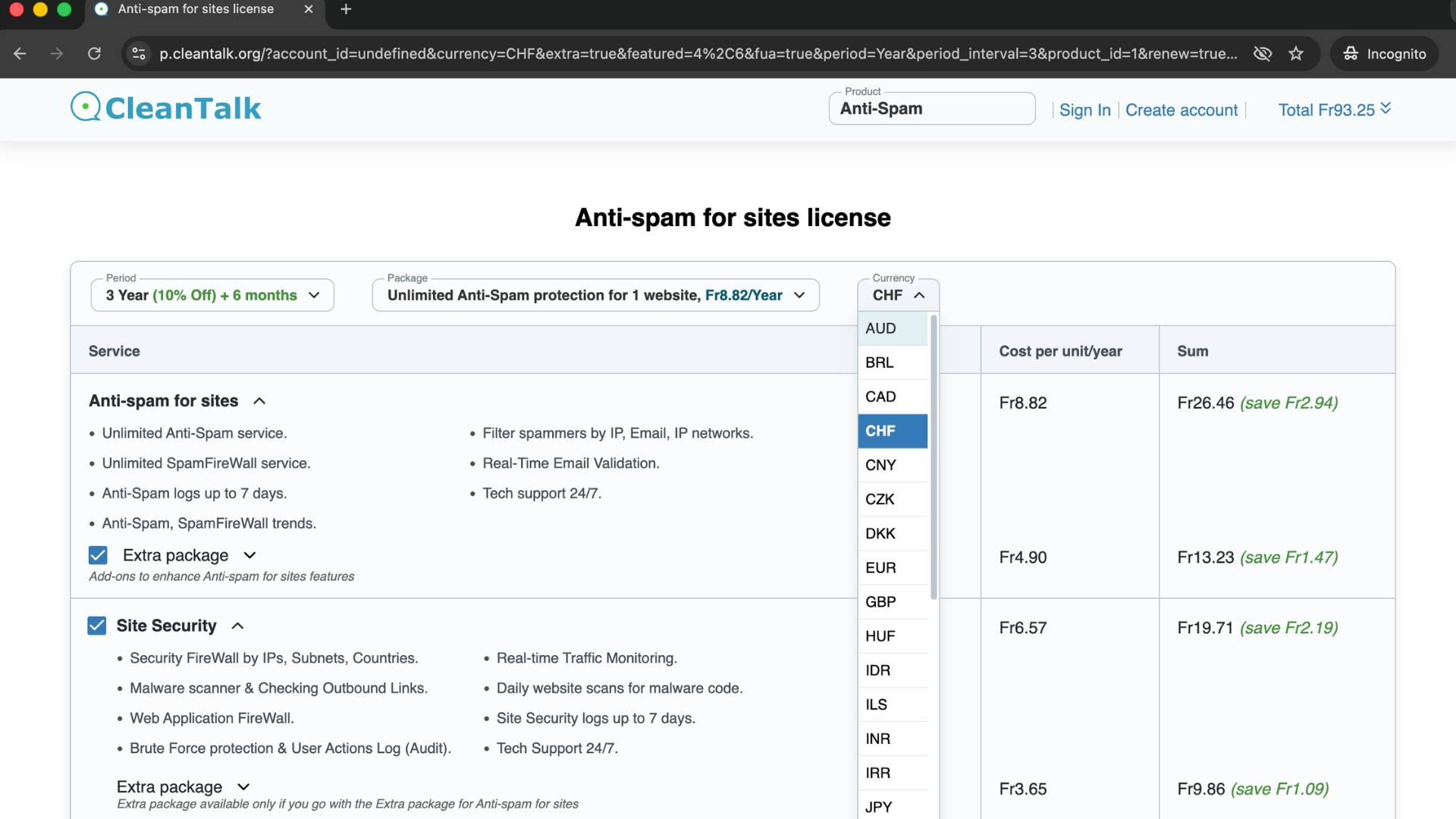
New Local Currencies Added for CleanTalk Payments
We are happy to announce that CleanTalk has added support for three new local currencies in the billing system: Swiss Franc (CHF), Swedish Krona (SEK), and Brazilian Real (BRL). Payments in these currencies are now available for CleanTalk products, making the payment process more convenient for users in Switzerland, Sweden, and Brazil. Here is the…
-
Everest Contact Forms Spam Protection: How to Stop Fake Entries in WordPress
Everest Forms can be used for much more than a simple contact form. Many WordPress websites use it for inquiries, lead generation, bookings, quote requests, surveys, applications, payments, quizzes, file uploads, and customer feedback. That flexibility is useful for real visitors, but it also creates more entry points for spam. If an Everest form is…