-
How to Reduce Server Load by Simply Filtering Bad Traffic
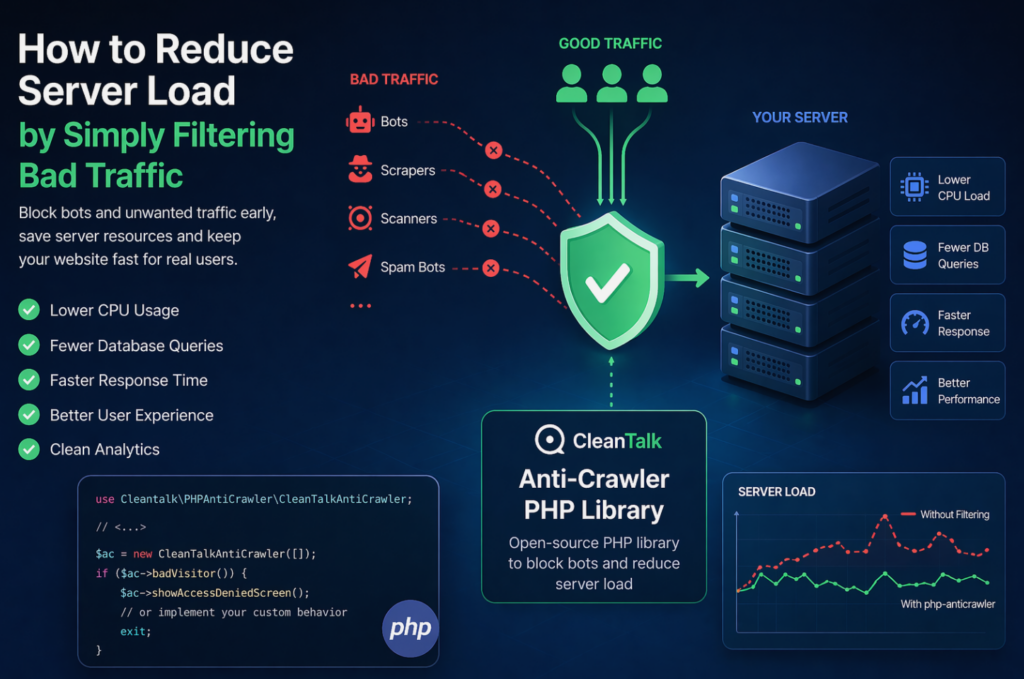
When a website starts slowing down, many teams immediately think about scaling infrastructure: adding CPU, RAM, more servers, or optimizing the database. In reality, a significant part of server load is often caused not by real users, but by automated traffic — bots, scrapers, vulnerability scanners, spam robots, and aggressive crawlers. These requests may continuously
FEEDBACK LOG


The Latest
-
Our client’s review: N29BEDANDBREAKFAST.COM
We continue sharing our clients’ reviews and today’s one is kindly brought to you by @n29bnb from n29bedandbreakfast.com on WordPress. Perfect companion CleanTalk has our back. After launching our new website, the inundation with spam messages started as well again. As we had previously sunk to the very bottom of websites with our old site,…

-
How to build a WordPress website
Building a WordPress website can be a rewarding experience, allowing you to showcase your creativity, share your passion, or promote your business online. In this comprehensive guide, we will walk you through the step-by-step process of creating a WordPress website. Step 1: Define Your Website’s Purpose and Goals Before diving into the technical aspects…

-
What is a WordPress Theme
A WordPress theme is a collection of files that work together to create the design and layout of a WordPress website. Themes control the visual appearance of a website, including its colors, fonts, layout, and overall style. In this comprehensive guide, we will delve into the world of WordPress themes, exploring what they are, how…

-
What is a WordPress Plugin and how to install it
What is a WordPress Plugin A WordPress plugin is a piece of software that adds specific functionality to a WordPress website. You can also call in an add-on or extension that enhances the core features of the WordPress platform. Plugins are designed to be easily installed, activated, and configured by users without the need for…