-
WordPress Password Leak Protection in CleanTalk Plugin
Leaked passwords are one of the fastest-growing threats to WordPress. WordPress password leak protection helps block attackers who reuse stolen credentials from massive breaches.Security by CleanTalk now gives you a way to stop them before they log in. What’s New: WordPress Password Leak Protection Password Leak Protection automatically checks user credentials against public breach databases.
FEEDBACK LOG
The Latest
-
BlackList by Language
Spam spreads not only in English. Many spam messages are written in Chinese, Arabic, Japanese or Korean languages. If your website isn’t aimed at an international audience, and you don’t expect comments/users from other languages. For example, your website is about fishing in Ireland and you don’t want to have comments from the Chinese language.…
-
New Parameter to Filter Spam
How spammers circulate website spam? They use infected with viruses computers, hacked websites or they buy servers to spread spam. In ordinary situations, websites do not send any comments (POST requests) to other websites and if that happens it is a certain sign of a hacked website. Each hosting provider has its own IP range…
-
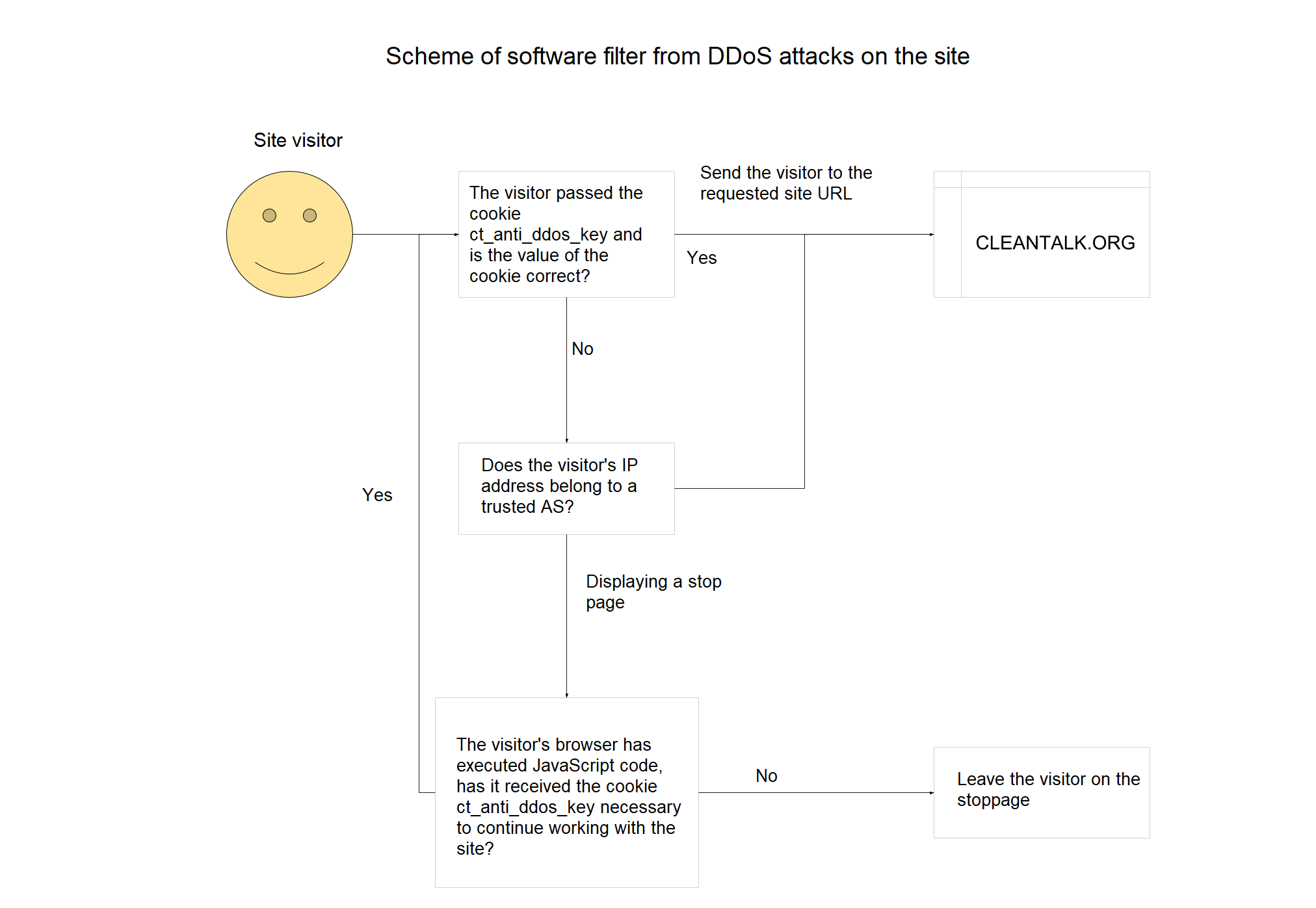
Protection against DDoS attacks at the web applications level
As you know DDoS attacks on the site are of different intensity, it is important to the number of hosts involved in the attack, the number of network packets and the amount of data transmitted. In the most severe cases, it is possible to repel the attack only using specialized equipment and services. If the…
-
Validation of Email Addresses for Protection Against Spam Bots on the Website
E-mail is still one of the most important and effective elements of online business and marketing and is the most effective channel for generating revenue. Therefore, for any online business and website owners, it is important to be sure that the email owner used it for registration/subscription so that the user used his real email…