
AMP (Accelerated Mobile Pages) is a free technology, that makes your website pages optimized for mobile web browsing and helps webpages load faster.
There is a way to make your WordPress website AMP-compatible while keeping it protected with CleanTalk Anti-Spam plugin. And there is how you do it:
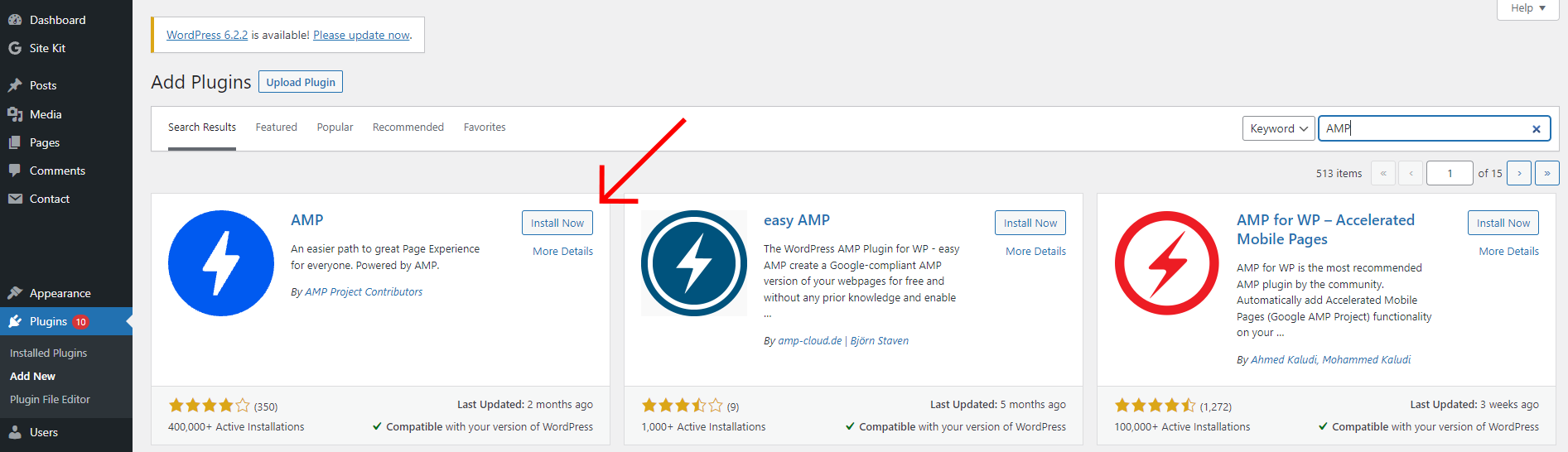
- In your WordPress dashboard go to Plugins → Add New and type “AMP” in the search form.
- After that, press the Install Now button near the plugin and the Activate button once the plugin is installed.
- After that go to AMP → Settings and click on the Open Wizard button.
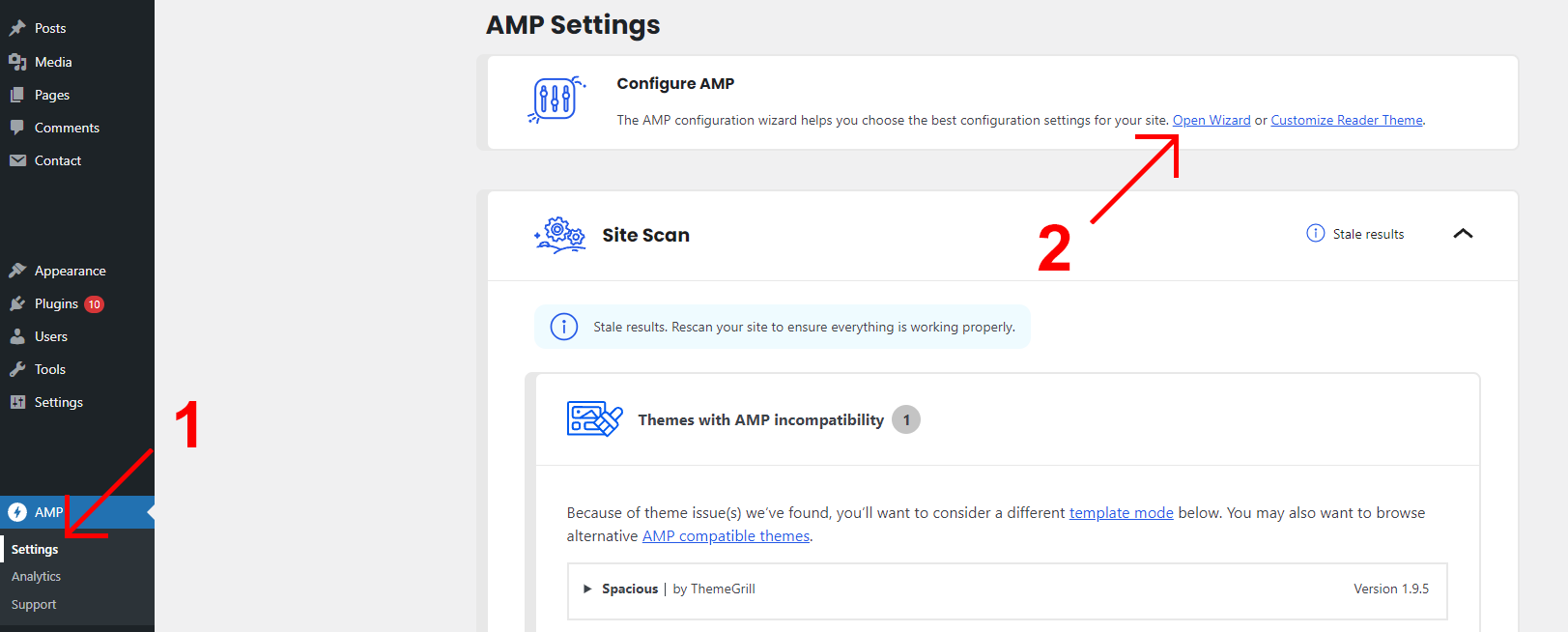
- The final step is just to follow the instruction on the page and scan the website. After the scan there is nothing else that should be done – the plugin works automatically and if you open your website page, you will see, that all the AMP-incompatible code is already gone.
Congratulations! Now your WordPress website is 100% AMP-compatible.

Leave a Reply