
-
How to Reduce Server Load by Simply Filtering Bad Traffic
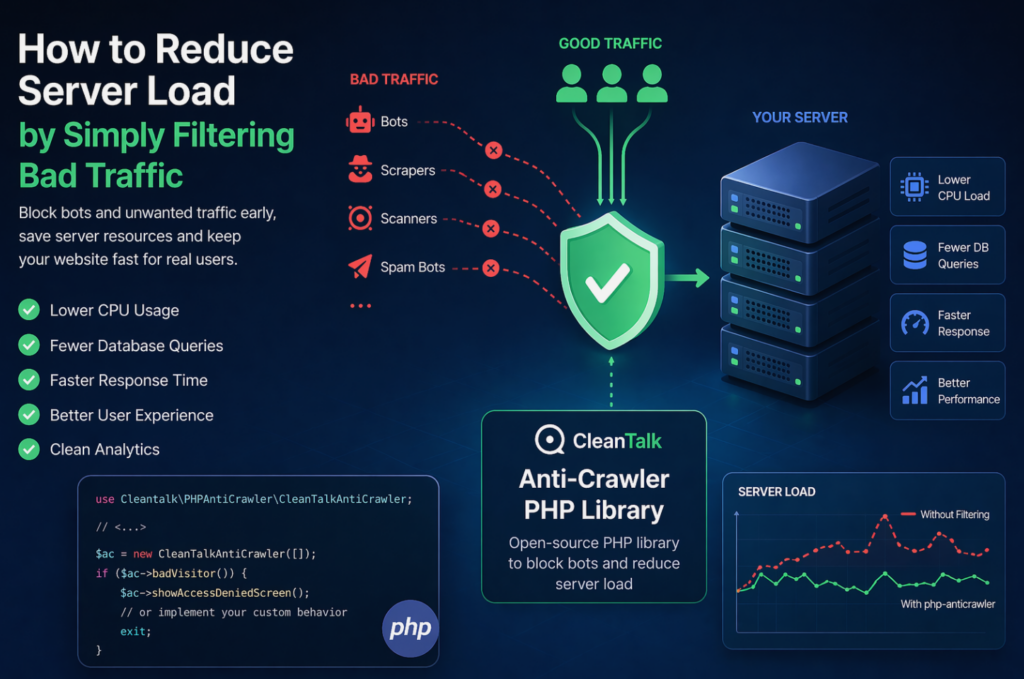
When a website starts slowing down, many teams immediately think about scaling infrastructure: adding CPU, RAM, more servers, or optimizing the database. In reality, a significant part of server load is often caused not by real users, but by automated traffic — bots, scrapers, vulnerability scanners, spam robots, and aggressive crawlers. These requests may continuously
FEEDBACK LOG


The Latest
-
Our new web service: Website Uptime Monitoring
Does your website work correctly right now? Is its loading speed convenient for visitors? Are you sure it is available 24/7 for all your potential customers? If all your answers are “Yes, sure” then you got our respect. Otherwise, we highly recommend you get control of your website availability and loading speed. Because all of…

-
How to Stop Spam Comments on WordPress
There are many open-source content management systems out there. However, WordPress has proved to be the darling for many users, whether creating blogs or websites. To put this into perspective, according to W3Techs, WordPress powers over 40% of all the sites on the internet. However, this percentage could be higher if not for one demon…
-
A Comprehensive WordPress Comment Moderation Guide
While social media comes with a myriad of benefits, it never lacks demons in its closets. As a user of social media platforms, the threat of spam, trolls, and other carefully curated abuses can make you feel intimidated and wonder whether building a community on social media is worth it after all. However, with the…
-
«Collect details about browsers» option will be removed
The end of the year is a perfect time to clean up and get rid of all unnecessary. So we have made a decision to remove «Collect information about browsers» option from our Anti-Spam plugin for WordPress. It is no longer needed or useful. It will be fully deleted on December 2. You can always…
