

TL;DR: The web grew because it was open. Openness also brings guests who abuse it. States answer with laws. A site owner needs their own rules and a way to see who comes in. CleanTalk Security lets you filter visitors by country, see who comes in and check your files daily.
Thirty years of an open web
The web grew on open competition and open source. Anyone could start a site, and anyone could visit it. Linux, Apache, PHP, MySQL and WordPress are free to use and free to read. A small team could compete with a large company on the same open stack.
The world went the same way. In Europe, the Schengen area removed border checks between member countries in 1995. People could study in one country, work in another and travel without a passport check. Millions did.
Two sides of the coin
Open borders create opportunities. Over time they also collect complaints about guests who do not follow the rules. Since 2015, several Schengen countries have brought back temporary border checks.
The web is no different. The same open door that lets in readers and customers lets in bots that guess passwords, scrapers that copy content, and scanners that probe old plugins.
How to set rules for a WordPress site: filter, see, check
A state uses laws to decide who comes in and how guests behave. A site owner needs the same: rules for visitors and a record of what they do. That is what CleanTalk Security gives you.
- Filter. Block or allow by IP, network or country. A web application firewall stops malicious requests. Login attempts are limited: by default, an IP with 10 or more attempts in an hour is blocked for 24 hours.
- See. The traffic monitor shows visitors by page, IP and country, with hit counts. The security audit log shows who logged in, when, and what they changed in the dashboard.
- Check. A daily malware scan finds changed and infected files and removes malicious code automatically when it knows the cure, with a backup made first. A vulnerability check covers installed plugins and themes.
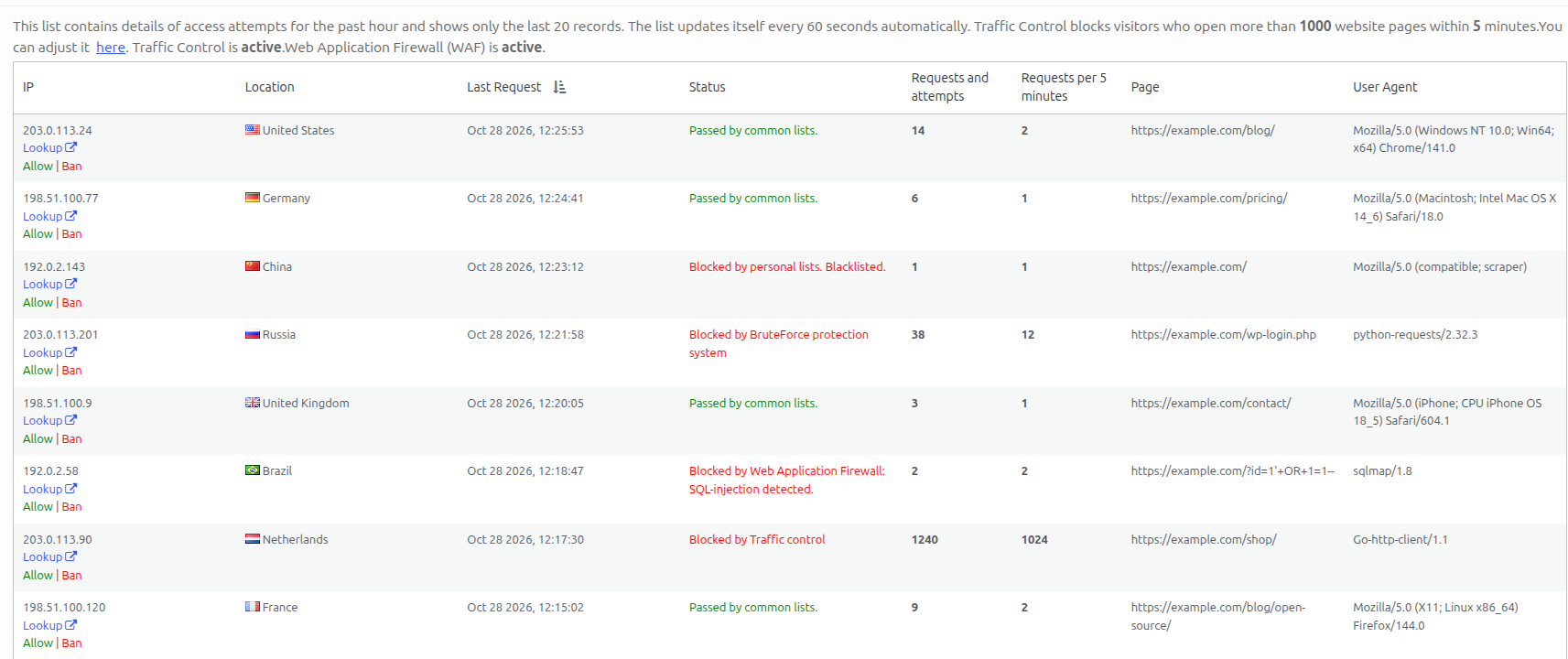
You keep your site open to the people you want and closed to those who abuse it. The decision is yours, and the logs show you what to decide on.
On WordPress.org the plugin has 40,000+ active installations and a 4.8 rating from nearly 400 reviews. And it is open source too: you can read the code that filters your traffic.
Install the plugin and watch your traffic for a week. The log will show you who your rules should be about.