

If your website uses the default WordPress signup flow, spam registrations can become a real problem surprisingly quickly. Bots scan the web for open signup pages, submit fake user data, and fill WordPress sites with junk accounts that never behave like real users.
For standard WordPress websites, this usually happens through the default registration endpoint. In WordPress core, the registration URL is typically generated through wp_registration_url(), which returns wp-login.php?action=register. The Register link is shown when public registration is enabled.
That is why site owners often search for terms like standard wordpress registration forms spam, default wordpress registration form spam, or stop spam user registration wordpress. They are not looking for a page builder or a form plugin issue. They are trying to stop fake signups on the native WordPress registration flow.
In this guide, you will learn what the standard WordPress registration form is, why it gets spammed, how to protect it with CleanTalk Anti-Spam, and how to test the protection correctly.
What is a standard WordPress registration form?
A standard WordPress registration form is the default signup form managed by WordPress core rather than by a third-party membership or form-builder plugin.
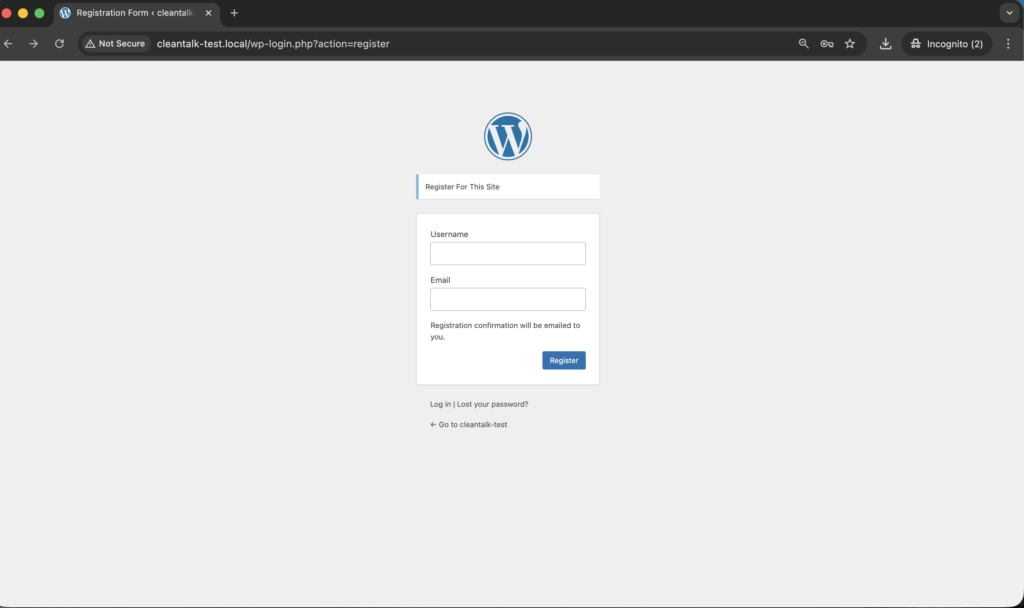
On most sites, this registration flow is associated with:
wp-login.php?action=register
WordPress developer documentation confirms that wp_registration_url() returns that path. The developer reference for wp_register() also shows that the Register link is only displayed when the site has public user registration enabled.
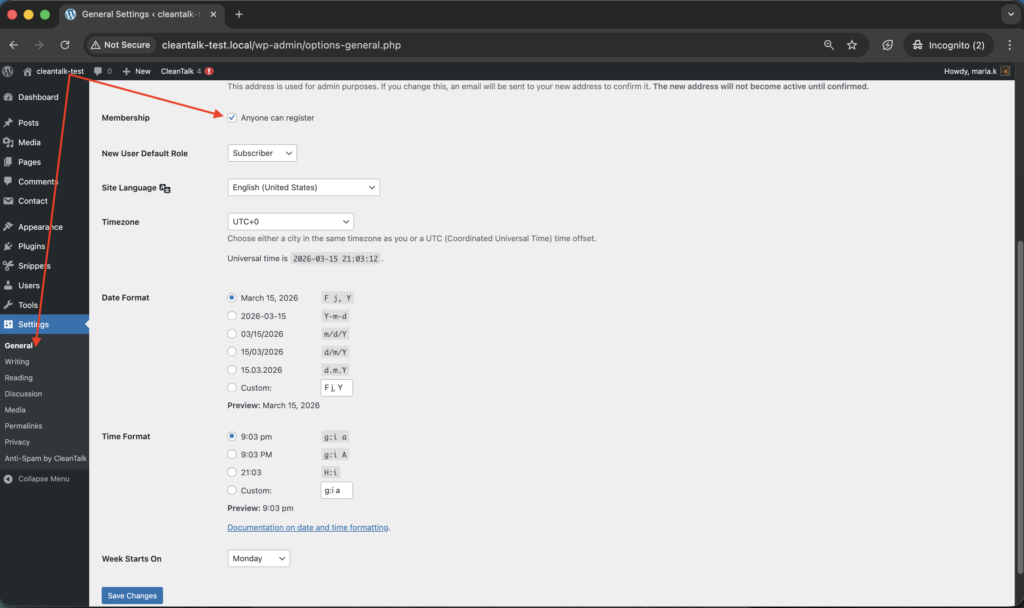
So when we talk about standard WordPress registration forms, we mean the built-in WordPress registration flow – not a custom Elementor, WPForms, or membership-plugin form.
Why standard WordPress registration forms attract spam
The default WordPress registration page is predictable. It uses a known path, a familiar structure, and is often left open without a dedicated anti-spam layer.
That combination makes it easy for bots to detect and target. Once they find the registration page, they can create fake subscribers, junk user accounts, throwaway profiles, and low-quality signups at scale.
This is more than a cosmetic issue. Spam registrations can:
- clutter your user database,
- waste moderation time,
- pollute analytics,
- trigger unwanted email flows,
- create future abuse risks from fake accounts.
If your website depends on public registration, protecting this form should be treated as a baseline measure, not as an optional improvement.
How to protect standard WordPress registration forms from spam
One of the simplest ways to protect the default WordPress registration form is to use CleanTalk Anti-Spam for WordPress.
The official WordPress.org plugin page says the plugin stops spam registrations, and the current plugin listing shows 200,000+ active installations.
CleanTalk is built to filter spam in the background instead of forcing every visitor through visible CAPTCHA friction. That matters because public registration is often part of your growth flow, and every extra barrier can reduce the number of legitimate signups.
How to install CleanTalk Anti-Spam for WordPress
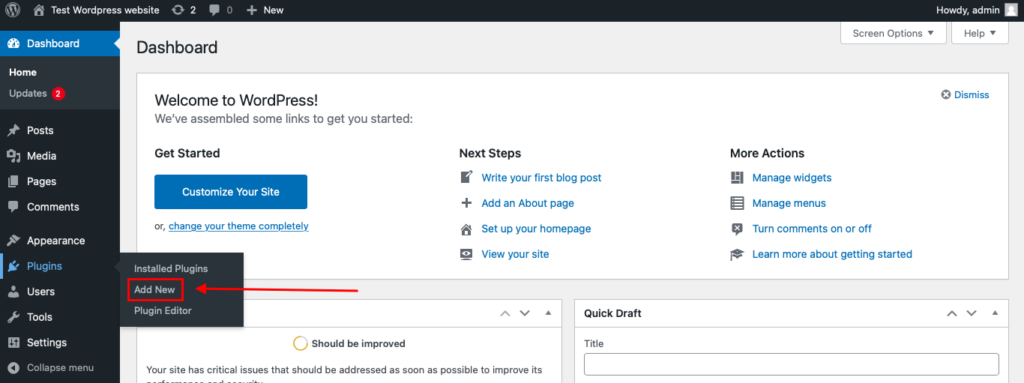
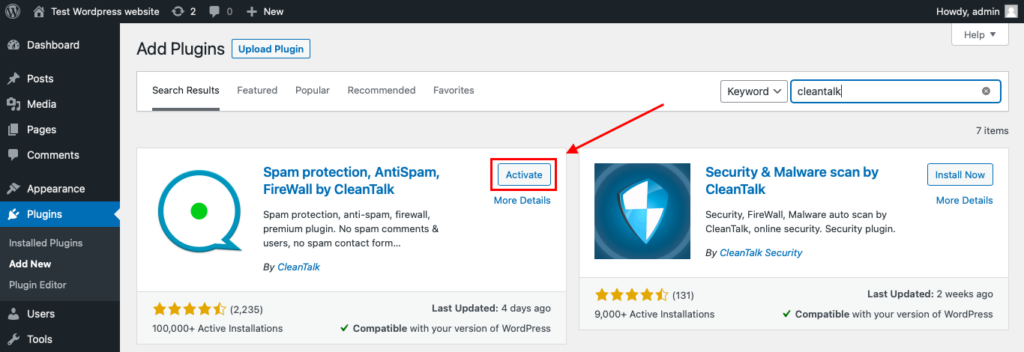
To install the Anti-Spam plugin, go to your WordPress admin panel→ Plugins→ Add New.
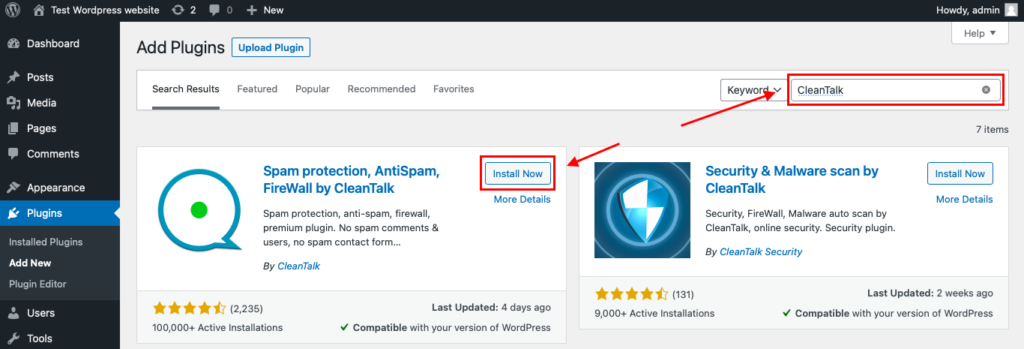
Then enter «СleanTalk» in the search box and click the Install button for «Spam protection, Anti-Spam, FireWall by CleanTalk».
After installing the plugin, click the «Activate» button.
After it is done go to the plugin settings and click the «Get Access Key Automatically» button. Then just click the «Save Settings» button.
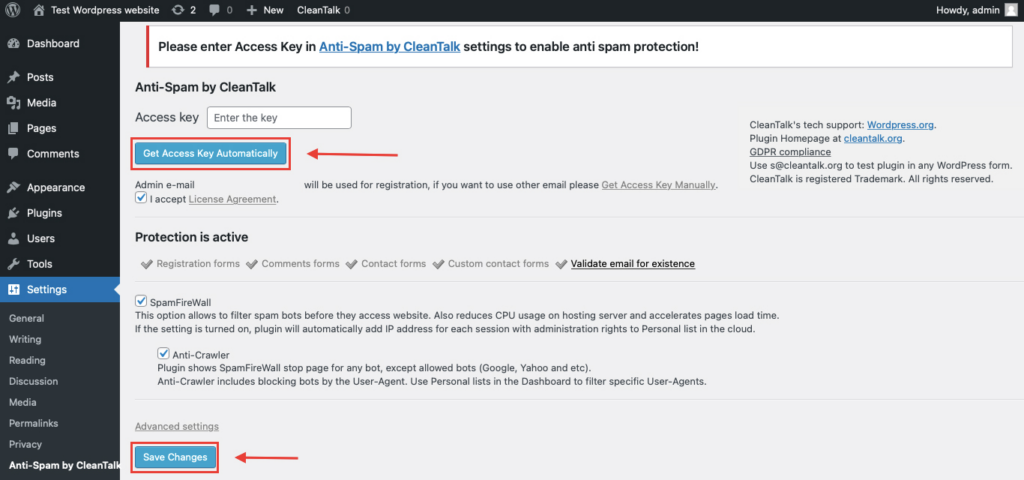
CleanTalk’s current and older guides follow this same setup logic: install the plugin, activate it, connect it, and then let it start protecting supported forms on the site.
How to test that spam protection works
When testing form protection, do not test it while logged in as a WordPress administrator. CleanTalk documentation explicitly notes that administrator actions are not checked, so testing should be done as a regular visitor in Incognito or Private mode.
Use this process:
Open the registration page in an Incognito or Private browser tab.
Fill in the required form fields.
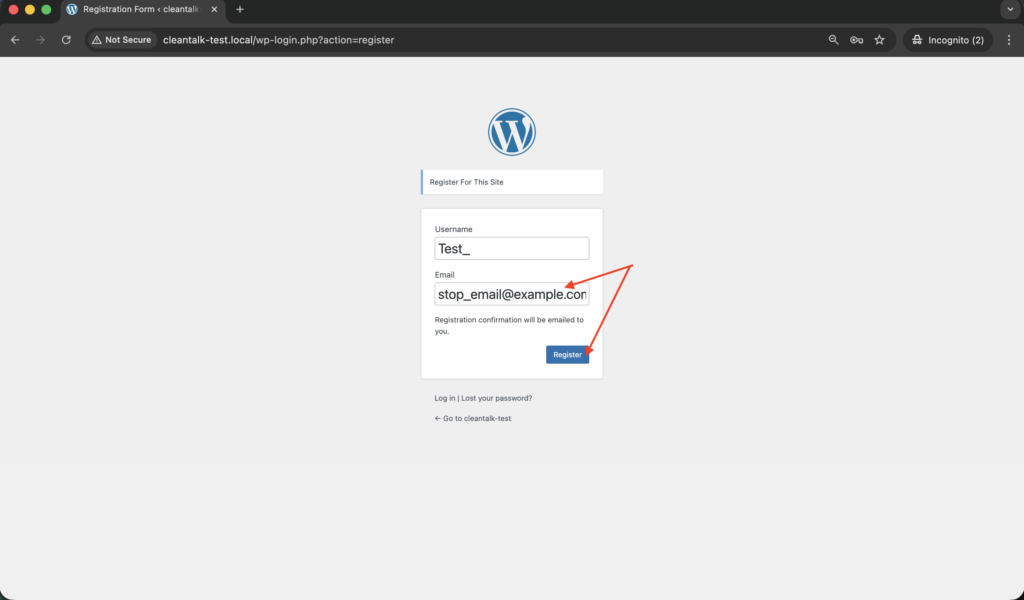
Use the test email address stop_email@example.com.
Submit the form.
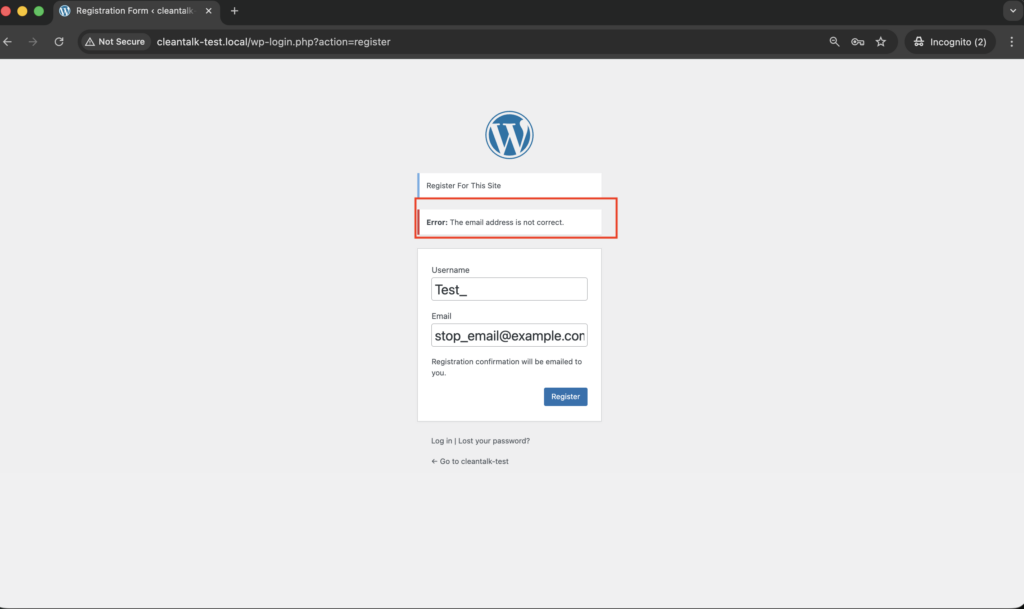
The current CleanTalk help page and the WordPress.org plugin FAQ both use stop_email@example.com as the test email for comments, contacts, registrations, and signups. If the protection is active, the test submission should be blocked.
Why this approach is good for conversion
Many site owners try to stop spam registrations by adding visible obstacles to the signup flow. Sometimes that helps, but it can also make legitimate visitors drop off before completing registration.
A background anti-spam solution is often a better fit when registration is part of the site’s business funnel. It helps reduce fake signups without making real users solve extra challenges every time they want to create an account.
For websites that depend on community growth, lead capture, onboarding, or member access, keeping the registration form simple is almost as important as keeping it protected.
How to know whether the default WordPress form is still being abused
Some websites use a custom registration plugin but still leave the default WordPress registration path available.
That creates a hidden problem: the visible custom signup flow may look protected, while bots continue to register through the original WordPress endpoint.
If you suspect that, review your registration sources and check whether the default WordPress registration screen is still enabled. If your custom plugin fully replaces the standard flow, it is often wise to protect the custom form and disable the unused default registration route.
Using a custom registration plugin instead?
If your website uses User Registration & Membership by WPEverest instead of the default WordPress registration form, use the dedicated CleanTalk guide for that plugin:
User Registration & Membership spam protection guide
/user-registration-forms-spam-protection-for-wordpress/
This internal link is useful both for readers and for SEO, because it clearly separates two close but different intents:
- default WordPress registration spam,
- spam on a specific registration plugin.
Final thoughts
If public registration is enabled on your site, the standard WordPress registration form should not be left unprotected.
WordPress core makes the registration path predictable, and bots actively exploit predictable signup flows. CleanTalk’s WordPress plugin is built to stop spam registrations and is already widely used across WordPress sites.
If your goal is to reduce fake signups without making registration harder for real users, start by protecting the default WordPress registration form, testing it properly in Incognito mode, and closing any unused registration paths that may still be exposed.
Start protecting your registration forms with CleanTalk Anti-Spam today.
FAQ
What is the default WordPress registration URL?
By default, WordPress returns the registration URL through wp_registration_url(), which points to wp-login.php?action=register.
When does WordPress show the Register link?
The Register link is shown when public registration is enabled through the Anyone can register setting.
Does CleanTalk protect registration forms?
Yes. The official WordPress.org page for the CleanTalk plugin says it stops spam registrations.
How do I test the anti-spam protection?
Test as a logged-out visitor in an Incognito or Private tab and use stop_email@example.com. That test address is documented in current CleanTalk help and in the WordPress.org plugin FAQ.
What if I use a custom registration plugin instead of the default WordPress form?
Then it is better to use a plugin-specific guide and make sure the default WordPress registration endpoint is not still open if you no longer need it. The CleanTalk blog already has a dedicated guide for User Registration & Membership.
Stop spam on standard WordPress registration forms
Create your CleanTalk account and protect the default WordPress registration form from fake signups and bot registrations. Keep registration simple for real users while extending protection across comments, contact forms, and other WordPress forms.
