-
How to Reduce Server Load by Simply Filtering Bad Traffic
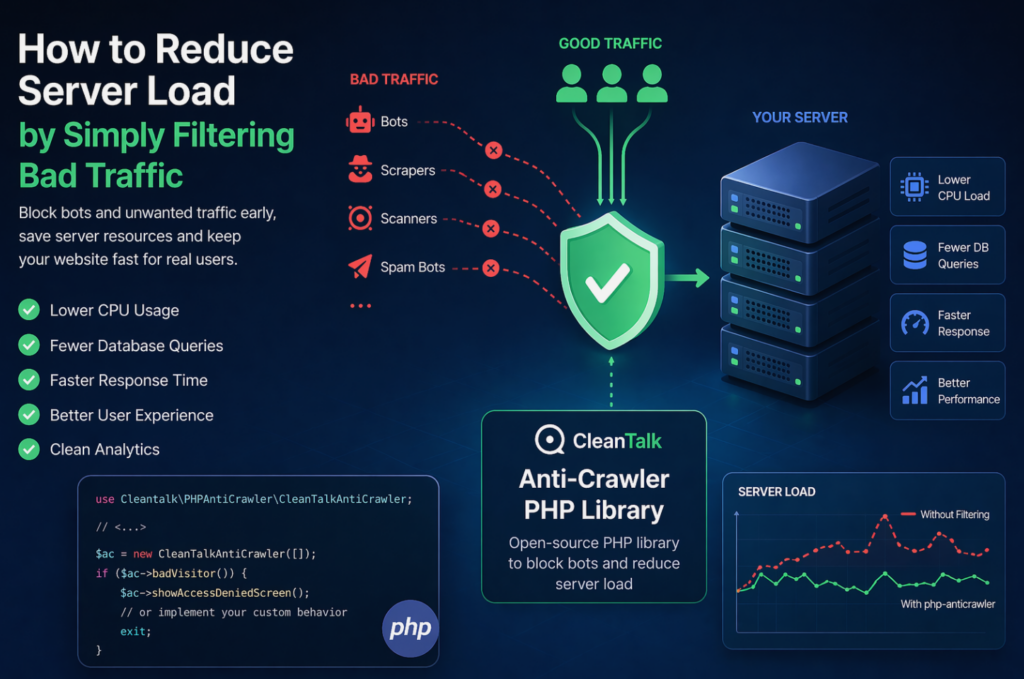
When a website starts slowing down, many teams immediately think about scaling infrastructure: adding CPU, RAM, more servers, or optimizing the database. In reality, a significant part of server load is often caused not by real users, but by automated traffic — bots, scrapers, vulnerability scanners, spam robots, and aggressive crawlers. These requests may continuously
FEEDBACK LOG


The Latest
-
SobiPro Forms – Spam Protection for Joomla
CleanTalk added SobiPro Forms spam protection using direct form integration. So if you prefer to use SobiPro Forms, be sure to use the most effective Anti-Spam plugin. Read the guide below and learn 8 steps to protect your SobiPro Forms from spam. Once the CleanTalk Anti-Spam plugin is installed it starts to protect all of…

-
Vulnerability in the CleanTalk Anti-Spam plugin for WordPress
There was a slight vulnerability in the comment scanning interface. It was not very serious, since only the logged-in administrator could execute the malware. In other words, in order to exploit a vulnerability, you need access to a site with administrator privileges. And if an attacker has such access, then this makes this vulnerability irrelevant,…

-
SP Page Builder – Spam Protection for Joomla
CleanTalk added SP Page Builder spam protection using direct form integration. So if you prefer to use SP Page Builder Forms, be sure to use the most effective Anti-Spam plugin. Read the guide below and learn 8 steps to protect your SP Page Builder Forms from spam. Once the CleanTalk Anti-Spam plugin is installed it…

-
Check your plugins and themes using CleanTalk Web Application FireWall (WAF)
From now the Security Plugin also grants your WordPress website the best malware protection. Malware can be sometimes uploaded via different themes and plugins. Using WAF is the best way to prevent your site from being infected. Download «Security & Malware scan» plugin To enable this option go to your Dashboard and choose Installed Plugins…