-
How to Reduce Server Load by Simply Filtering Bad Traffic
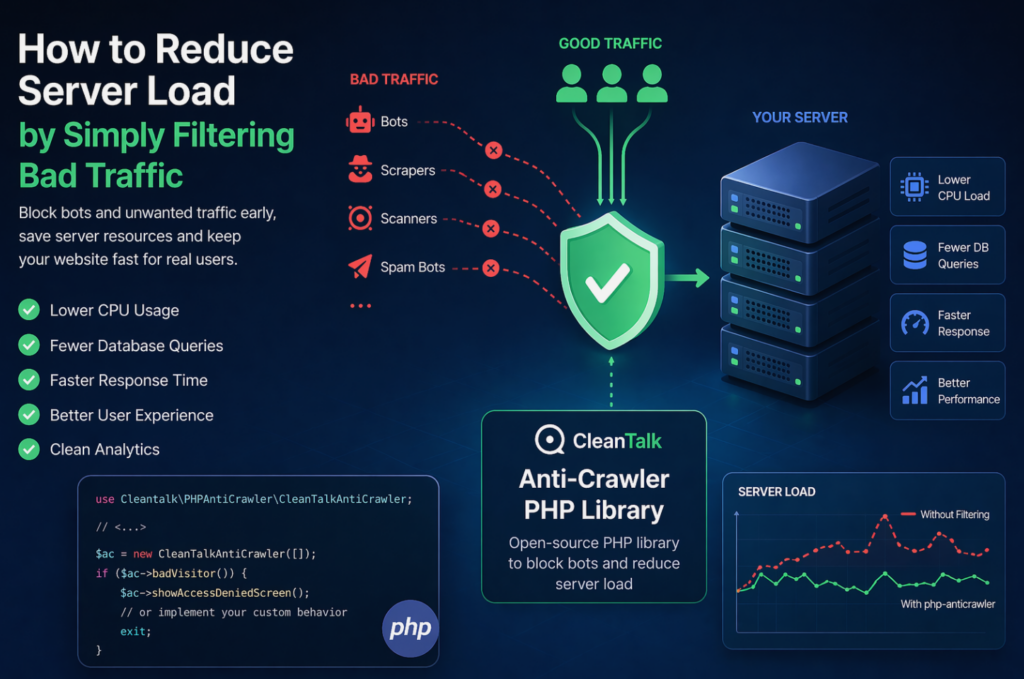
When a website starts slowing down, many teams immediately think about scaling infrastructure: adding CPU, RAM, more servers, or optimizing the database. In reality, a significant part of server load is often caused not by real users, but by automated traffic — bots, scrapers, vulnerability scanners, spam robots, and aggressive crawlers. These requests may continuously
FEEDBACK LOG


The Latest
-
Craft CMS Anti-Spam Beta Release
Good news for CraftCMS users. Finally Anti-Spam Beta is live. The protection works fine for CraftCMS Contact Form. Follow our guide to install and configure your anti-spam protection. Installation Step 1: Type the following commands into your console. Step 2: Go to your CraftCMS Admin Panel. Then go to Settings → Plugins → Anti-Spam Protection…

-
How to stop spam on WordPress – MailOptin Forms
CleanTalk added spam protection for MailOptin Forms using direct form integration. So in case, if you prefer using MailOptin Forms be sure to use the most effective Anti-Spam plugin. Read the guide below and learn 4 steps to protect your MailOptin Forms from spam. Once the CleanTalk Anti-Spam plugin is installed it starts to protect…

-
Vulnerability in Eval(‘$some=1;’); Code for WordPress Auto-Cure
A new virus has been detected by our Security Malware Scanner on one of our client’s websites. So, using this file we created a malicious code signature and added it to the Security Malware Scanner. Here it is in the last line. So, from this moment this virus will be recognized and auto-cured on all…

-
CleanTalk Anti-Spam with White Label Mode
The CleanTalk Anti-Spam White label mode was made to make usage of the service for hosting more comfortable as well as it virtually eliminates the interaction between Cleantalk and hosting clients. This option is available only for WordPress MultiSite. It also allows changing logos, links to your own. Your clients don’t need to get an…