
-
How to Reduce Server Load by Simply Filtering Bad Traffic
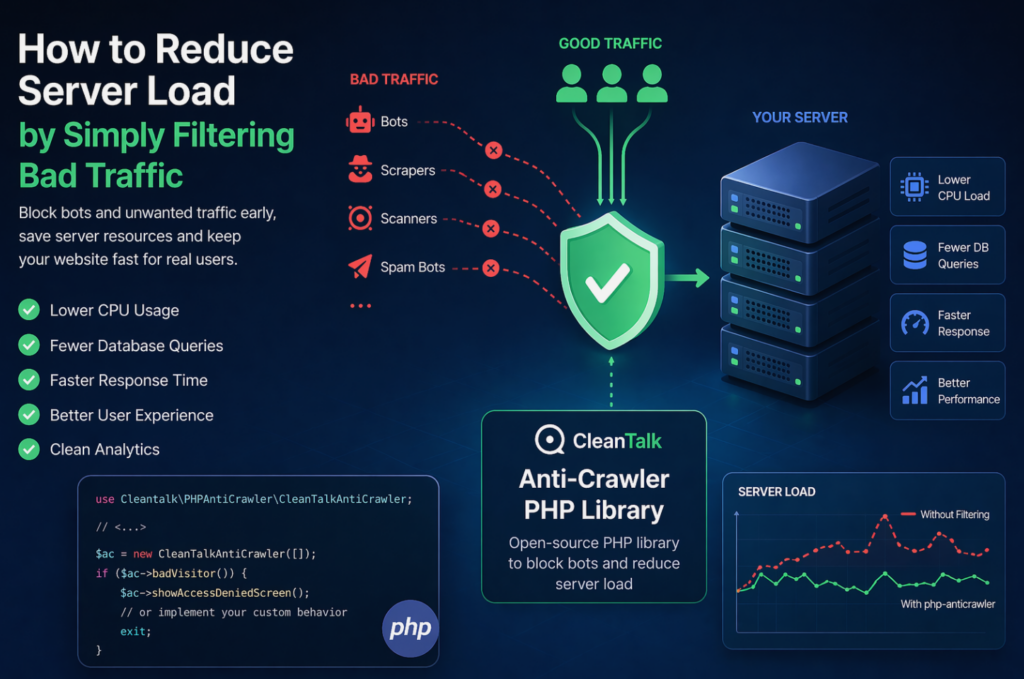
When a website starts slowing down, many teams immediately think about scaling infrastructure: adding CPU, RAM, more servers, or optimizing the database. In reality, a significant part of server load is often caused not by real users, but by automated traffic — bots, scrapers, vulnerability scanners, spam robots, and aggressive crawlers. These requests may continuously
FEEDBACK LOG


The Latest
-
CleanTalk SpamFireWall – Option Help
Hello, This is our video guide for SpamFireWall options.
-
18 ways to improve Speed of your WordPress Website
If your e-commerce website makes the customer wait for more than 3 seconds, don’t expect any sale; says a study. Things are very similar for the business and blogging websites, where website speed significantly affects conversion rate. If your site does not have a quicker approach to load and performs against the other available sites…

-
20 Tips for Effective SEO and Content Management for WordPress
Undoubtedly, WordPress has immensely outgrown its inception image. WordPress has moved from supporting the blogs to be the best platform for high-end websites. Even today no other platform can beat the Content Management functions of WordPress. As a website platform, you can extend and expand a WordPress website functionally to a tremendous extent. Built-in search…
-
Changes in the logic for the spam_check API
We plan to launch API logic changes for the method “spam_check“. Parameter Appears will be modified. Parameter Appears — shows presence of record in the CleanTalk Blacklist Database. How it works right now — “appears”:1 returns in cases when spam activity was registered 3 and more times no matter when it happened even if this…