Stop spam without frustrating your visitors

Create your CleanTalk account and start blocking spam — no CAPTCHA challenges and no impact on visitors.

Security Block Lists

CleanTalk Account

No credit card required • Setup takes less than a minute • Your temporary password will be sent by email.

Tag: anti spam

  • wpForo Forum – Spam Protection

    wpForo Forum – Spam Protection

    CleanTalk added spam protection for wpForo Forum multi-layout bulletin board using direct form integration. So in case, you prefer using wpForo be sure to use the most effective Anti-Spam plugin. Read the guide below and learn 4 steps to protect your wpForo Forms from spam.

    Once the CleanTalk Anti-Spam plugin is installed it starts to protect all of the existing forms on your WordPress website. It may not only be wpForo forms but also many others.

    Download CleanTalk Anti-Spam plugin | Download wpForo Forum 

    How to install CleanTalk Anti-Spam plugin

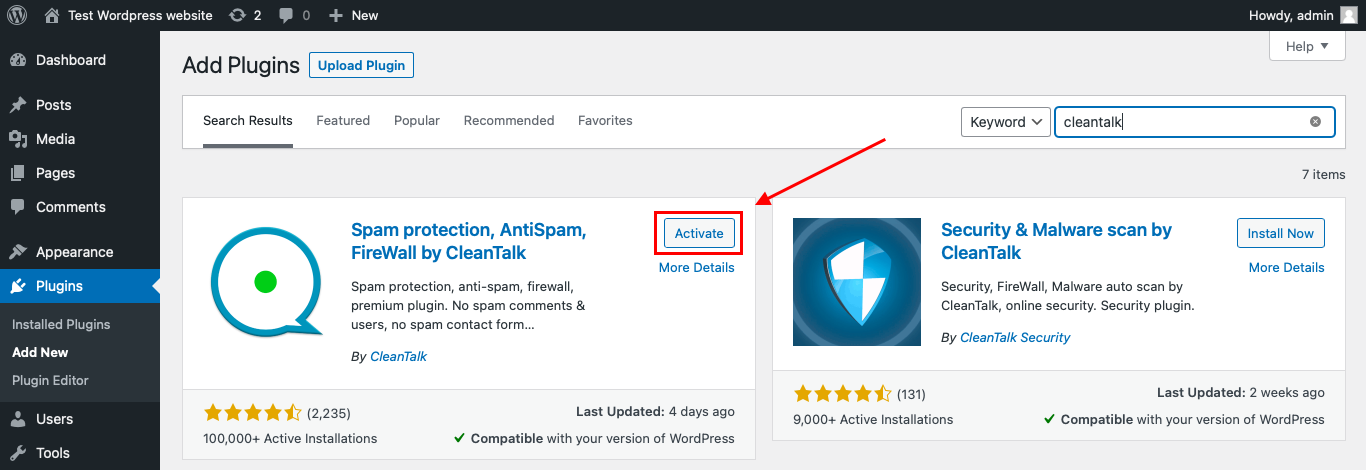
    To install the Anti-Spam plugin, go to your WordPress admin panelPluginsAdd New.

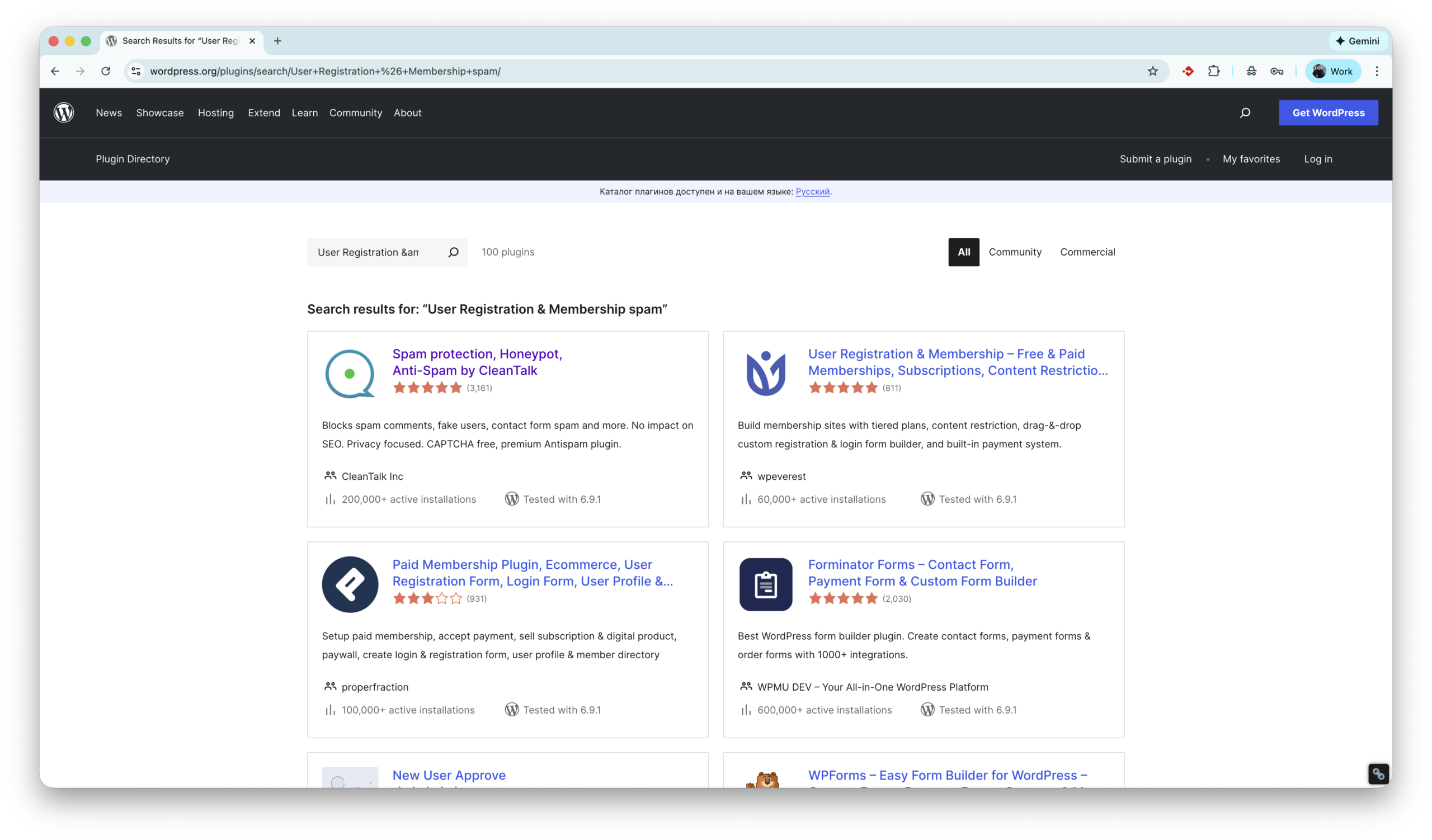
    Then enter «СleanTalk» in the search box and click the Install button for «Spam protection, Anti-Spam, FireWall by CleanTalk».

    After installing the plugin, click the «Activate»‎ button.

    After it is done go to the plugin settings and click the «Get Access Key Automatically» button. Then just click the «Save Settings»‎ button.

    That’s it! From now you know how to completely protect your wpForo Forum plugin from spam.

    How to check spam protection for wpForo Forms

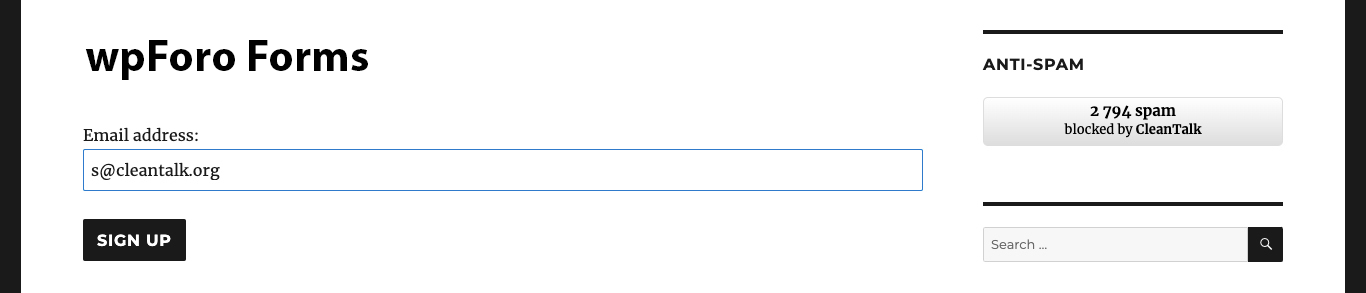
    You can test the work of Anti-Spam protection for your СonvertKit Forms by using a test email s @ cleantalk.org (without spaces). First, open the form in an Incognito browser tab. Fill in all the required form fields and send a form. After submitting the form, you will see a block message about the block on the form submission.

    If you have any questions, add a comment and we will be happy to help you.

    Create your CleanTalk account – Register now and protect your СonvertKit Forms from spam in 5 minutes

    Update

    The protection works only for website visitors, not for website admins. Be sure to test the form protection using Incognito mode.

    Additional features

    • CleanTalk protects all forms at once: comments, registrations, feedbacks, contacts, reviews.
    • Installation takes about 1-2 minutes.
    • Smart 99% protection against spambots.
    • Always online – 24/7 technical support.
    • Logs, SpamFireWall, personal lists, country filters, stop-words, and many others.

    Discover CleanTalk Anti-Spam plugin features.

  • User Registration & Membership – Spam Protection Guide in 2026

    User Registration & Membership – Spam Protection Guide in 2026

    CleanTalk has added spam protection for the User Registration & Membership WordPress plugin by WPEverest through direct form integration. If you use this plugin, be sure to enable the highly effective CleanTalk Anti-Spam solution. In this post, we also review all anti-spam options available for User Registration & Membership.

    User Registration & Membership – Free & Paid Memberships, Subscriptions, Content Restriction, User Profile, Custom User Registration & Login Builder

    First of all let’s see what this plugin is,

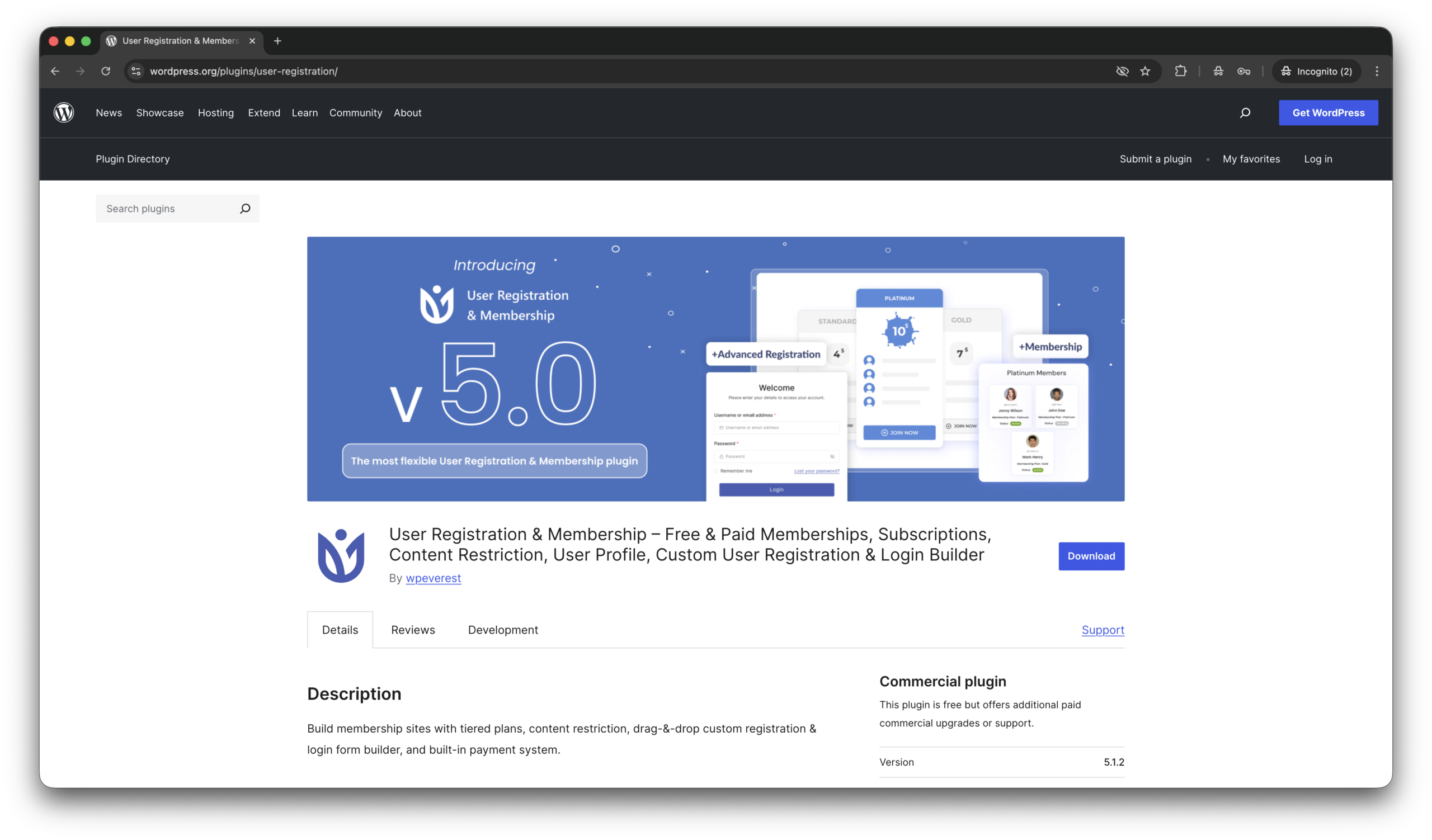
    User Registration & Membership by WPEverest is a powerful WordPress plugin for creating custom user registration forms, login pages, and membership websites without coding. It features a drag-and-drop form builder, user profile management, content restriction, and payment integrations for subscription-based sites. Ideal for communities, online courses, and client portals, the plugin helps website owners manage users and memberships efficiently while improving user experience.

    According wordpress.org, this plugin is installed on 60,000+ sites. All features of Anti-Spam plugin by CleanTalk for WordPress.

    Installing User Registration & Membership

    There are few steps to be this plugin installed,

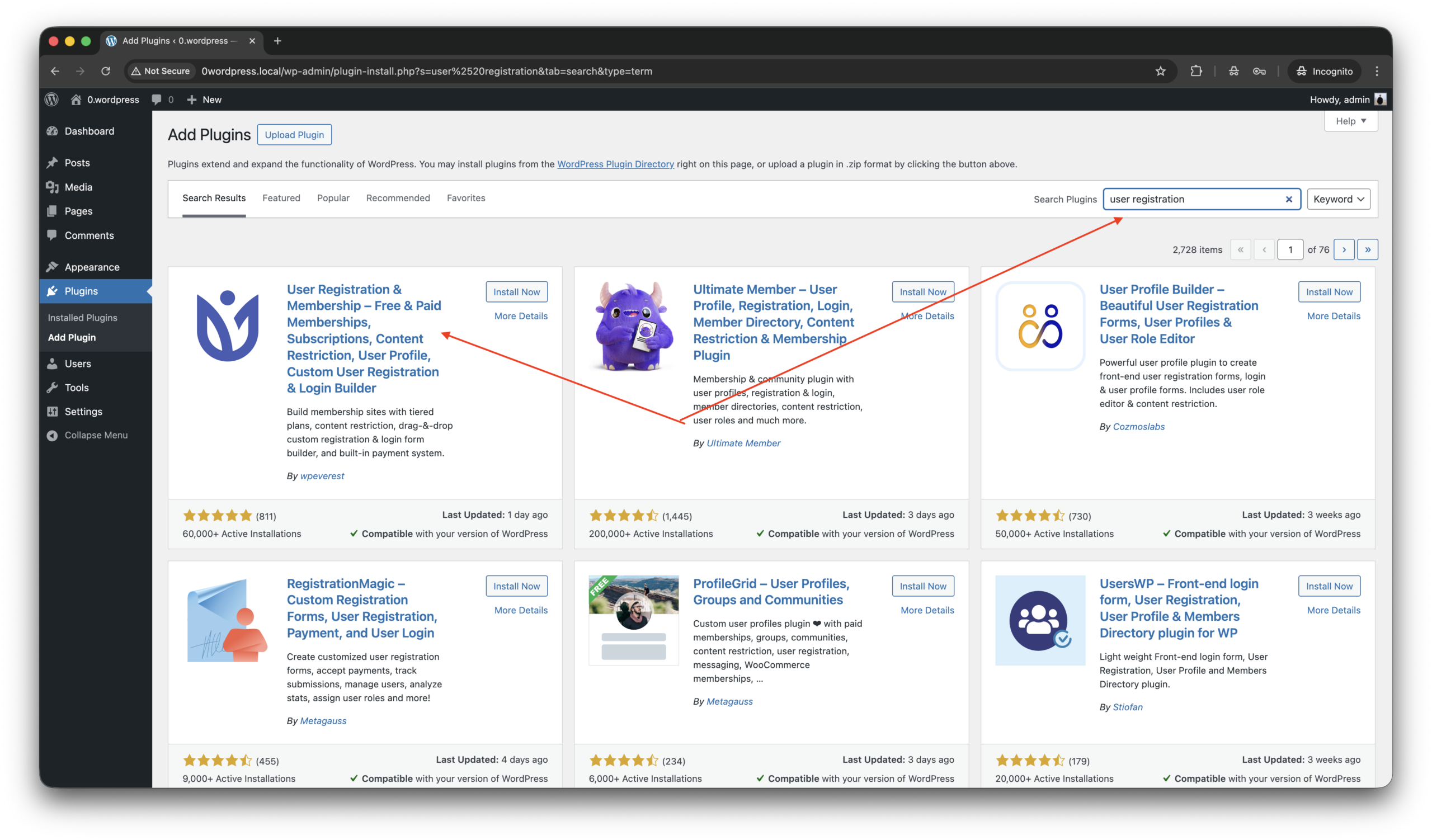
    1. Go to WordPress console -> Plugins -> Add plugin, type ‘user’.
    2. Install ‘User Registration & Membership’ by WPEverest and activate the plugin.
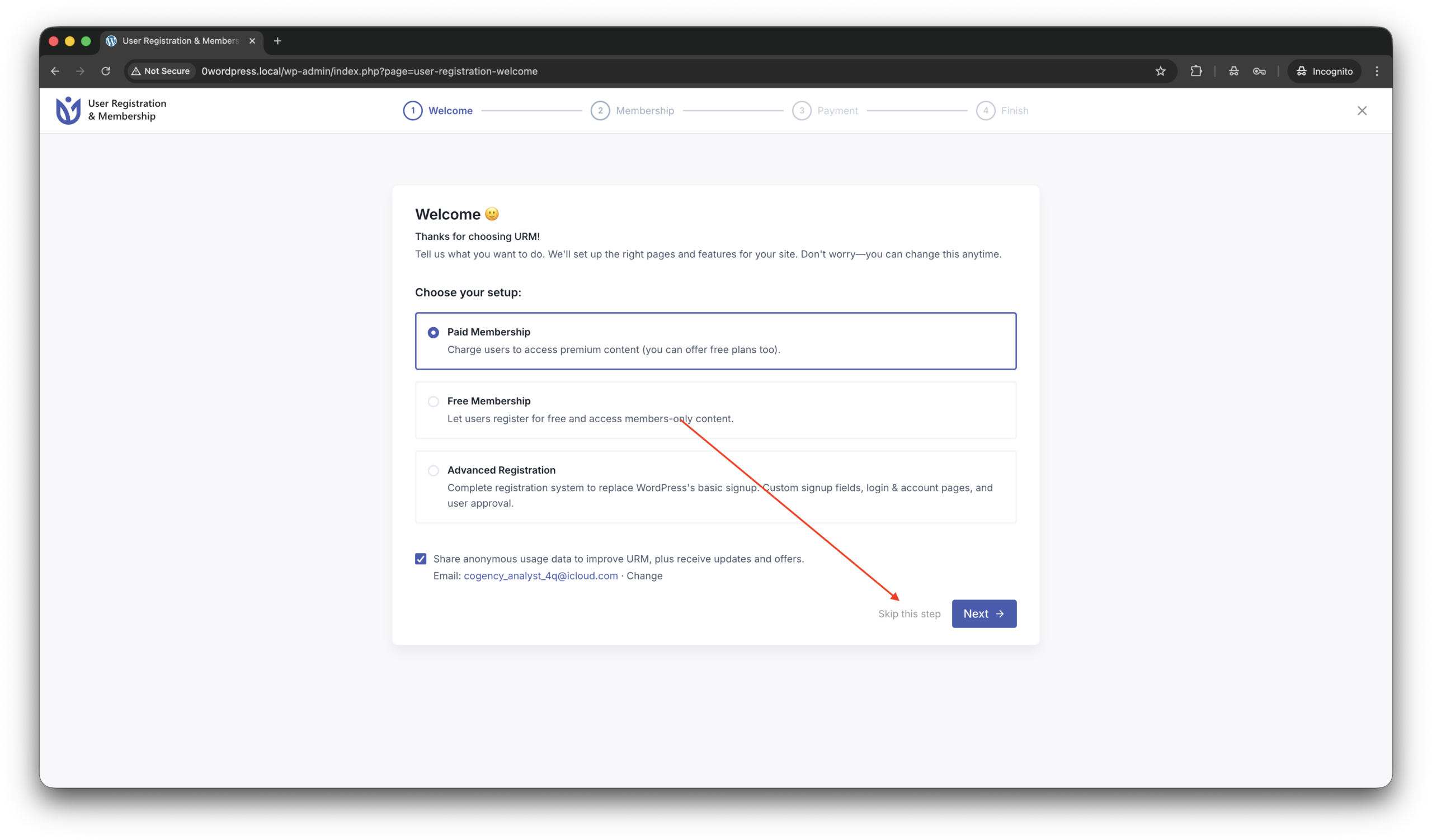
    3. Next you see a setup screen, that can be skipped on this moment.
    4. That’s all the plugin is installed!

    On the next steps we work with page YOUR-SITE.COM/registration/.

    By the if you want place the registration form on another page,

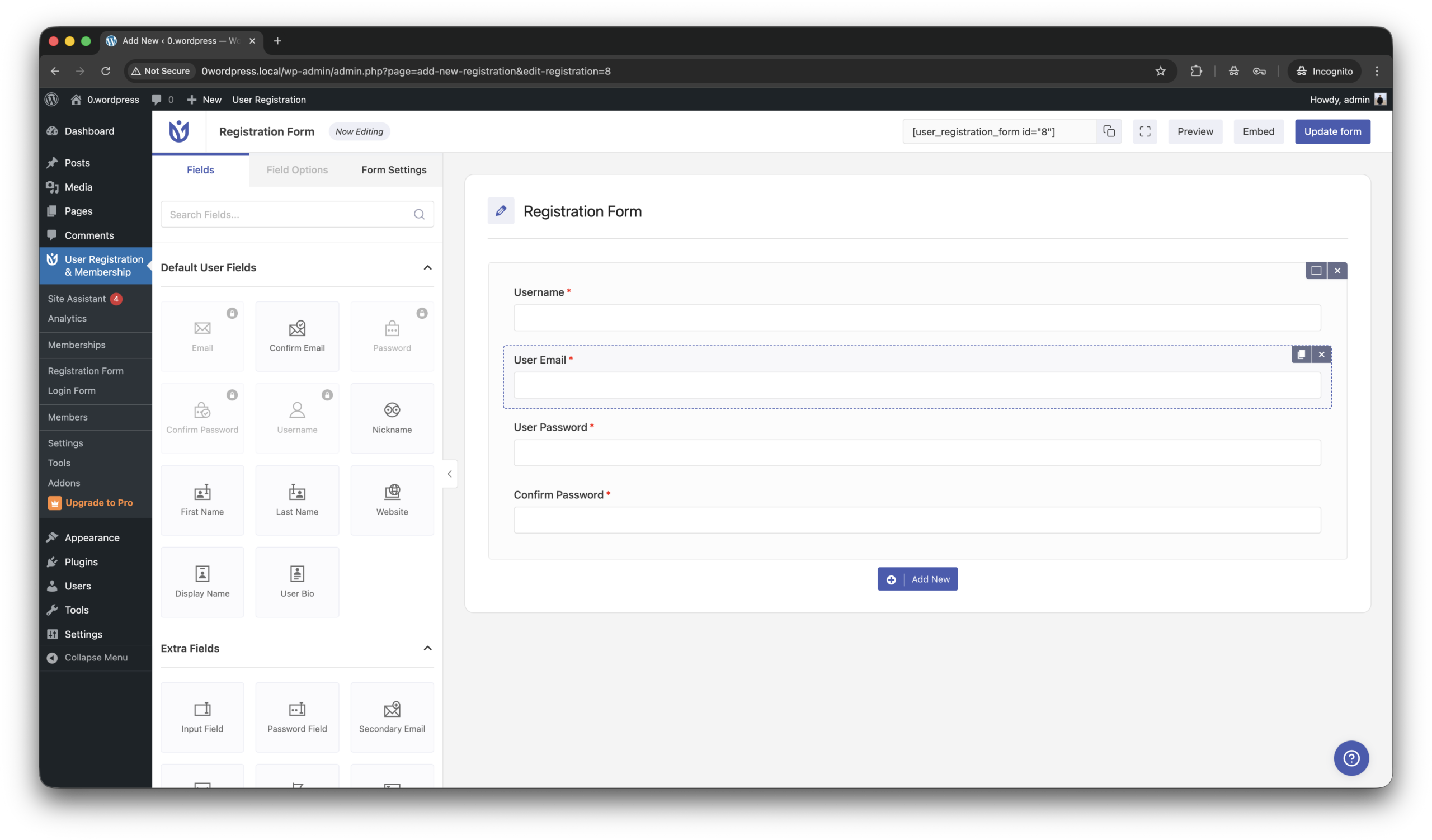
    1. Follow to WordPress console -> User Registration & Membership -> Registration form.
    2. Copy shortcode like this [user_registration_form id=”8″] from the right/top corner of screen and place on any other page you want to.

    Anti-Spam plugin by CleanTalk for WordPress

    In beginning a few words about the plugin that we are going to use against spam,

    CleanTalk Anti-Spam plugin for WordPress automatically protects your website from spam comments, registrations, contact forms, and fake orders without using CAPTCHA. It uses cloud-based spam detection and real-time databases to block bots in the background while keeping the experience smooth for legitimate visitors.

    According wordpress.org, this plugin is installed on 200,000+ web sites. To install the plugin please follow this guide.

    The next step is testing the anti-spam protection.

    How to check spam protection for User Registration & Membership

    We are going to test protection and the most important step in this process to do it as a regular visitor, not as as authorized user/administrator in WordPress console!

    Follow this,

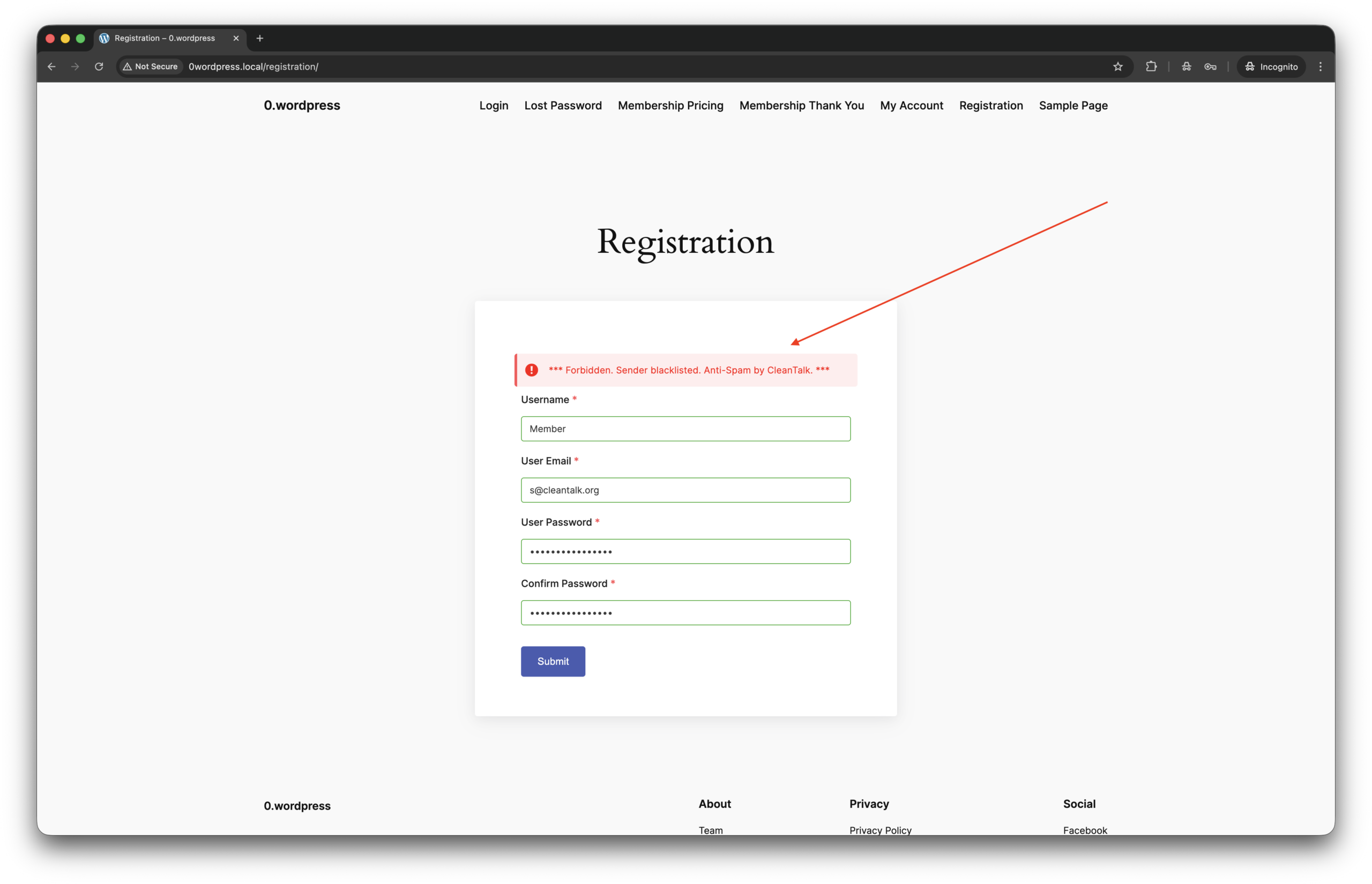
    1. Jump to YOUR-SITE.COM/registration/ in incognito mode in your browser.
    2. Fill up the form using test email address s@cleantalk.org. This is a service email, using which do not cause block listing your IP in CleanTalk’s cloud.
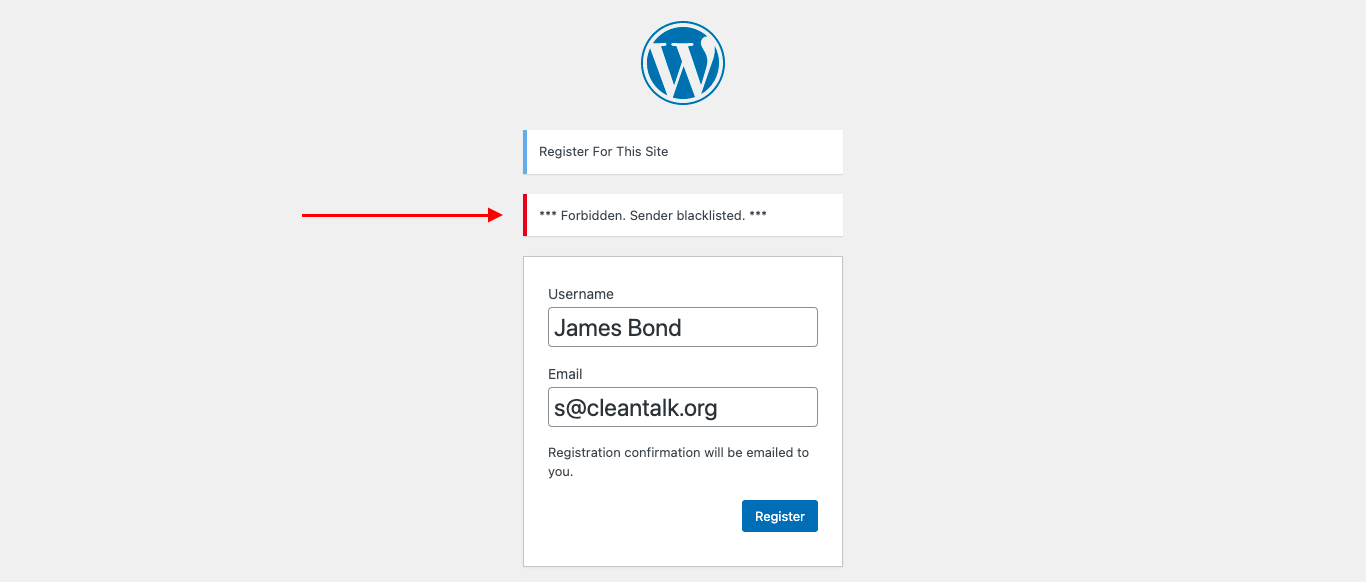
    3. You see response from the cloud like this,

    That’s all! The protection is active and ready to go. If you have any questions, add a comment and we will be happy to help you. In addition, in the Cloud Dashboard you can find extra details regarding all submissions for registration form.

    What additional anti-spam tools are available for User Registration & Membership?

    On this day on the market there are a few more tools to protect User Registration & Membership against spam bots. As well as this plugin has some built-in tools. Let’s see what we have,

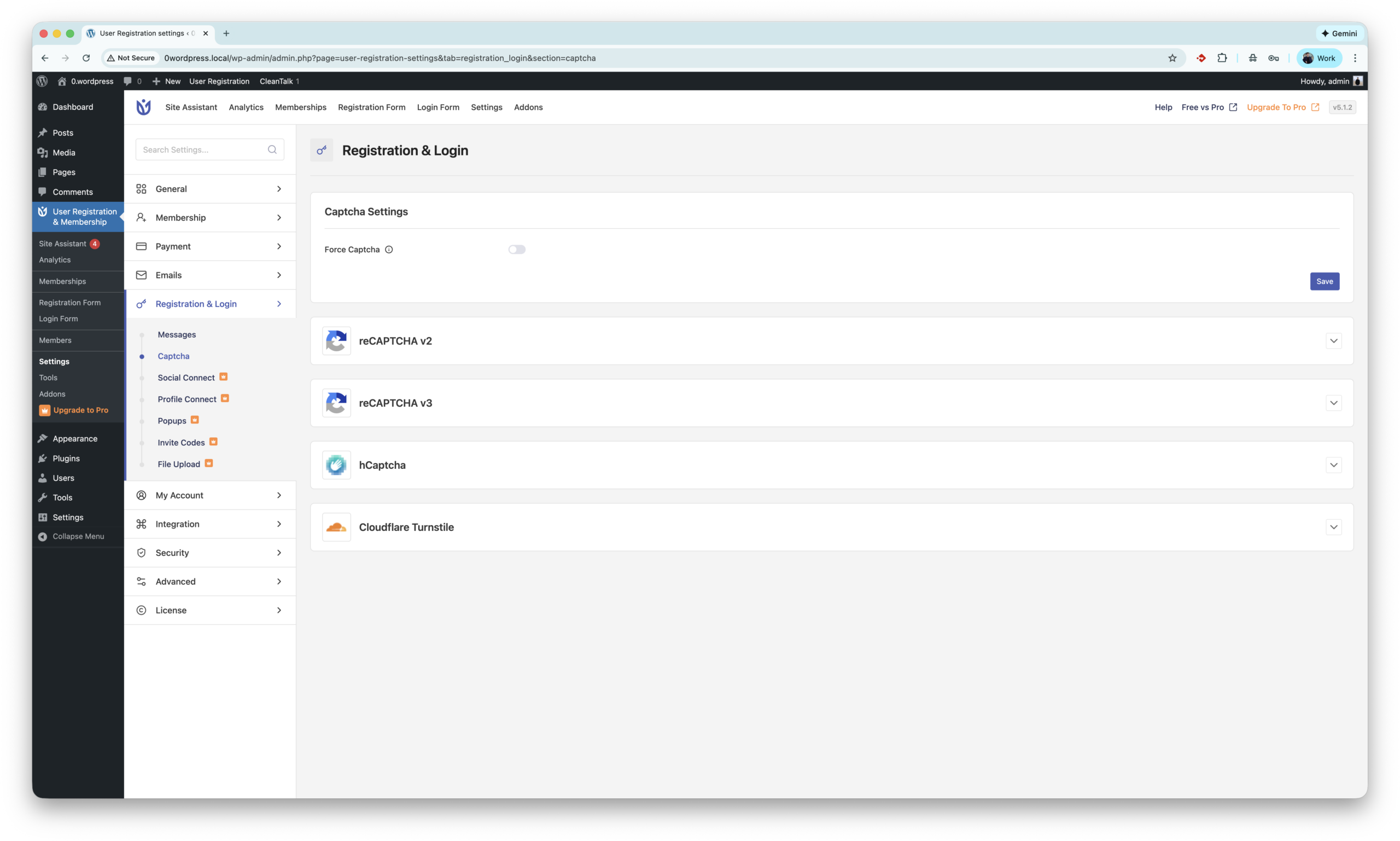
    1. This plugin has built-in integration with Google reCaptcha version 2 and 3. reCAPTCHA by Google helps protect WordPress registration forms from spam by verifying that users are real people using behavioral analysis or interactive challenges. It blocks automated bot sign-ups and reduces fake registrations while allowing legitimate users to register securely.
      The settings located are here WordPress console -> User Registration & Membership -> Registration & Login -> Captcha. The Site and Secret keys are available on website.
    2. The next tool is hCaptcha. hCaptcha is a privacy-focused CAPTCHA solution that protects WordPress registration forms from spam by requiring users to complete human verification challenges, helping block automated bot sign-ups. Unlike reCAPTCHA by Google, hCaptcha places stronger emphasis on user privacy and data control, making it a popular alternative for websites that want effective spam protection with less tracking.
      The settings located are here WordPress console -> User Registration & Membership -> Registration & Login -> Captcha. The Site Key and Secret key are available on website.
    3. Next is Turnstile by Cloudflare. It protects WordPress registration forms from spam by automatically verifying visitors using browser and behavioral signals without showing CAPTCHA challenges. Unlike reCAPTCHA, Turnstile is designed to be privacy-friendly and frictionless, reducing spam registrations while keeping the signup process seamless for real users.
      The settings located are unde same path as tools before WordPress console -> User Registration & Membership -> Registration & Login -> Captcha. The Site Key and Secret key are available on website.
    4. There are also bunch of universal anti-spam plugins like Simple CAPTCHA Alternative by Elliot Sowersby, WP Armour and etc. All of them can be found on wordpress.org.

    As my research shows there is no plugins or direct integration with Akismet.

    I have questions…

    What if I don’t use User Registration & Membership plugin, but still have spam registrations (users)?

    In this case, Anti-Spam by CleanTalk is the best way to get rid of standard wordpress registration forms spam.

    Does this guide work for WPforo plugin?

    No, it does not. Read this guide instead to protect WPforo Forum against spam registrations.

    How about spam protection for s2Member plugin?

    Please use another guide in order of s2member spam protection.

    Final thoughts

    I hope this guide helped resolve all spam issues on your registration form. If not, Sign Up for an account and our CleanTalk team will be happy to help.

  • Spam Protection – S2Member Memberships

    Spam Protection – S2Member Memberships

    If you prefer to use s2Member Memberships & Subscriptions registration form be sure to use the most effective Anti-Spam plugin. Read the guide below and learn 4 steps to protect your s2Member Registration Forms from spam.

    Once the CleanTalk Anti-Spam plugin is installed it starts to protect all of the existing forms on your WordPress website. It may not only be registration forms but also contact forms and many others.

    CleanTalk Anti-Spam plugin for WordPress | Download s2Member Registration Form plugin 

    How to install CleanTalk Anti-Spam plugin

    To install the Anti-Spam plugin, go to your WordPress admin panelPluginsAdd New.

    Then enter «СleanTalk» in the search box and click the Install button for «Spam protection, Anti-Spam, FireWall by CleanTalk».

    After installing the plugin, click the «Activate»‎ button.

    After it is done go to the plugin settings and click the «Get Access Key Automatically» button. Then just click the «Save Settings»‎ button.

    That’s it! From now you How to completely protect your s2Member Registration Form from spam.

    Check the result to save your s2Member Registration Form from spam

    You can test the work of Anti-Spam protection for your s2Member Registration Form by using a test email s @ cleantalk.org (without spaces). First, open the form in an Incognito browser tab. Fill in all the required form fields and send a form. After submitting the form, you will see a block message about the block on the form submission.

    If you have any questions, add a comment and we will be happy to help you.

    Create your CleanTalk account – Register now and protect your s2Member Registration Form from spam in 5 minutes

    Update

    The protection works only for website visitors, not for website admins. Be sure to test the form protection using Incognito mode.

    Additional features

    • CleanTalk protects all forms at once: comments, registrations, feedbacks, contacts, reviews.
    • Installation takes about 1-2 minutes.
    • Smart 99% protection against spambots.
    • Always online – 24/7 technical support.
    • Logs, SpamFireWall, personal lists, country filters, stop-words, and many others.

    Discover the complete list of CleanTalk Anti-Spam plugin features here.

  • About the email “[CleanTalk] Access key used on multiple websites”

    About the email “[CleanTalk] Access key used on multiple websites”

    Recently, some of our users received an email with the subject:

    “[CleanTalk] Access key used on multiple websites”

    The message informed you that your CleanTalk Access key was detected on more than one website within a 24-hour period and recommended changing the key if the activity looked suspicious.

    The notification looked like this:

    Subject: [CleanTalk] Access key used on multiple websites

    We noticed that your CleanTalk Access key has been used on more than one website within the last 24 hours.

    Product: Anti-spam for sites
    Access key: your_access_key

    List of IPs:
    https://cleantalk.org/ipinfo/IP_addr

    If you do not recognize these websites, your Access key may have been compromised.
    Please change your Access key as soon as possible.

    This email was part of a new security feature designed to help prevent possible Access key leaks and unauthorized usage. We recently launched a new security feature that monitors whether a CleanTalk Access key is being used on multiple websites within a short period of time.

    The idea behind this was simple — help prevent possible key leaks or unauthorized usage and notify users if something looks suspicious.

    However, after launch we discovered an issue in the detection logic. Because of this, many users received this notification by mistake.

    That was our error — and we sincerely apologize for the confusion and concern it may have caused.

    We have already corrected the algorithm and added additional checks to prevent false alerts in the future.

    Thank you for your understanding and for trusting CleanTalk to protect your websites.

    If you have any questions, our support team is always here to help.

    — The CleanTalk Team

  • Our Client’s Review: BRNDTIME

    Our Client’s Review: BRNDTIME

    We’re happy to share feedback from one of our valued clients — Christophe Thielens, founder of BRNDTIME.

    At CleanTalk, we truly appreciate hearing how our anti-spam solution helps agencies and businesses keep their websites clean, fast, and user-friendly. Reviews like this motivate our team to continue improving our technology and delivering invisible, reliable protection against spam.

    About BRNDTIME

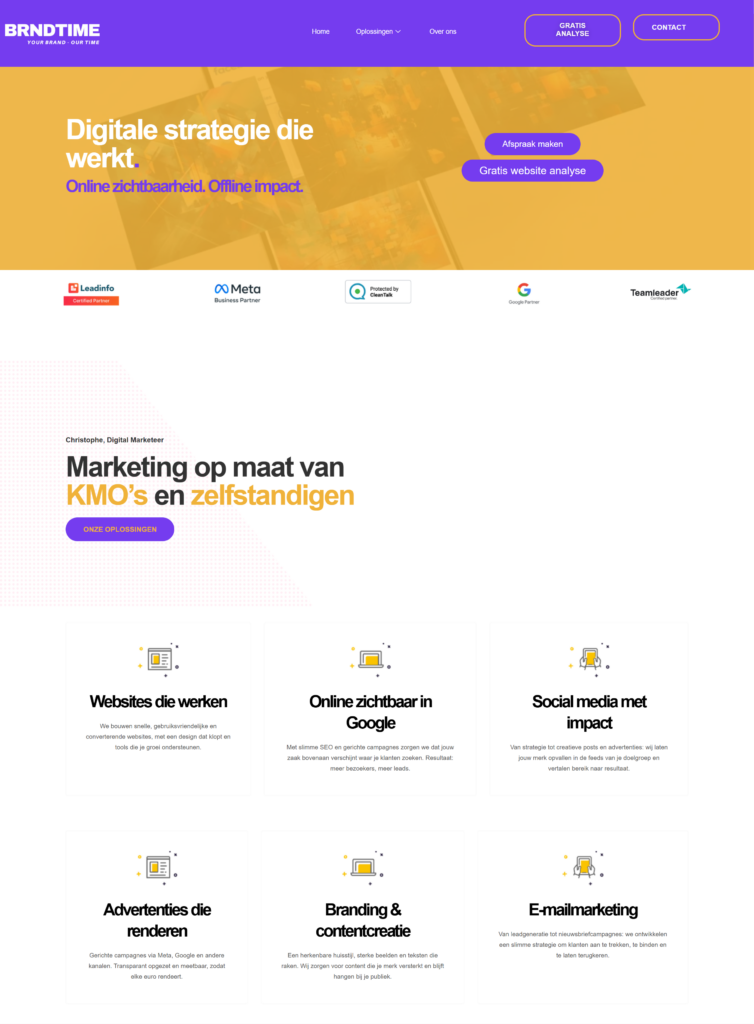
    BRNDTIME is a digital marketing agency based in Belgium, focused on helping SMEs and independent professionals grow their online presence.
    The agency specializes in building high-performance WordPress websites, SEO, online advertising, branding, content creation, and email marketing — always with a strong emphasis on usability, performance, and measurable results.

    Client feedback

    Christophe shared his experience with CleanTalk both on WordPress.org and on the BRNDTIME website:

    “Very good plugin — works very well for my agency.
    No captchas, no false positives, no slowdowns.
    A solid and trustworthy plugin.”

    BRNDTIME – Digital marketing bureau 01 29 2026 03 19 PM
    BRNDTIME – Digital marketing bureau 01 29 2026 03 19 PM

    Using CleanTalk Anti-Spam, BRNDTIME protects WordPress websites from spam submissions without affecting visitor experience. The absence of CAPTCHAs, combined with accurate filtering and no performance impact, allows the agency to focus on building and marketing websites — not cleaning up spam.

    We’d like to thank Christophe Thielens and the BRNDTIME team for trusting CleanTalk to protect their projects and for sharing their honest feedback with the WordPress community.

    🔗 Client website: https://brndtime.be/

    🔗 WordPress.org review: https://wordpress.org/support/topic/very-good-plugin-works-very-wel-for-my-agencie/

    🔗 BRNDTIME article about CleanTalk:
    https://brndtime.be/2026/01/27/cleantalk-anti-spam-plugins-spamvrije-wordpress-website/

  • How Spam Activity Changes Over Time — and Why It’s Not Related to License Expiration

    How Spam Activity Changes Over Time — and Why It’s Not Related to License Expiration

    From time to time, website owners report a sudden increase in spam activity and try to link it to plugin settings, hosting, or license status.
    However, these assumptions often overlook how dynamic spam behavior truly is.
    To illustrate this, I conducted a small study analyzing spam distribution over time using data from several of our WordPress sites.

    First, I’ll look at data for three of our WordPress sites, which host our themed blogs. The statistics are for the year.

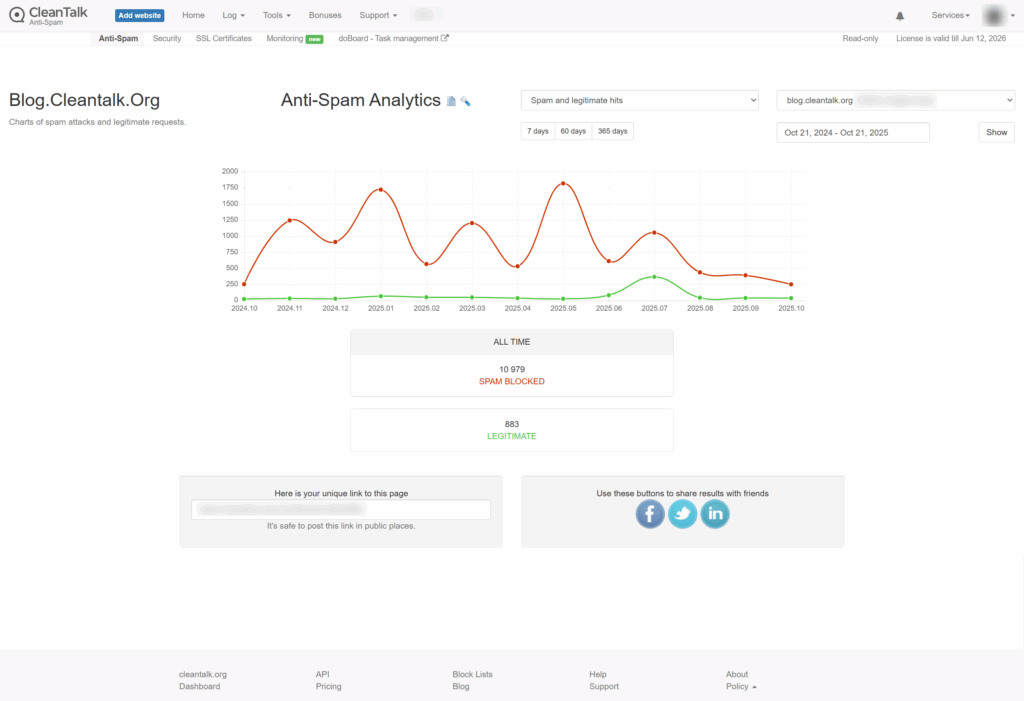
    1. Our blog, ClanTalk Anti-Spam and Security https://blog.cleantalk.org/

    The screenshot shows the statistics for the year.
    As you can see from the graph, the number of spam attacks isn’t linear, but fluctuates from month to month. Only since August has there been any stability, and the number of spam attacks has been more or less consistent.

    All time 10 979 spam blocked 10 21 2025 11 17 AM
    All time 10 979 spam blocked 10 21 2025 11 17 AM

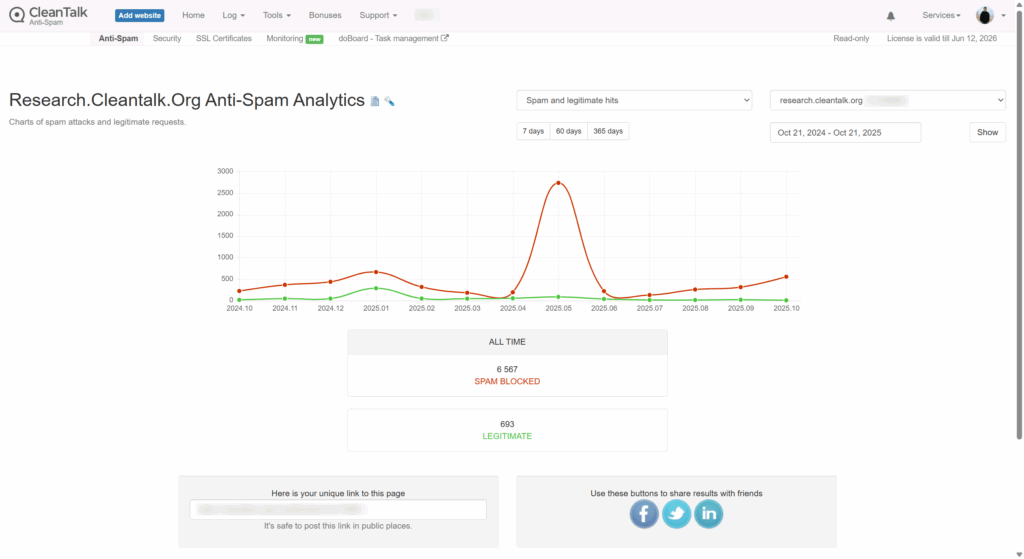
    2. Our blog, research.cleantalk.org


    The graph shows an increase in spam attacks at the beginning of the year, followed by a decline to almost zero. However, in May, there is a peak in spam attacks, followed by a sharp decline. Subsequently, there is a slight increase in spam attacks.

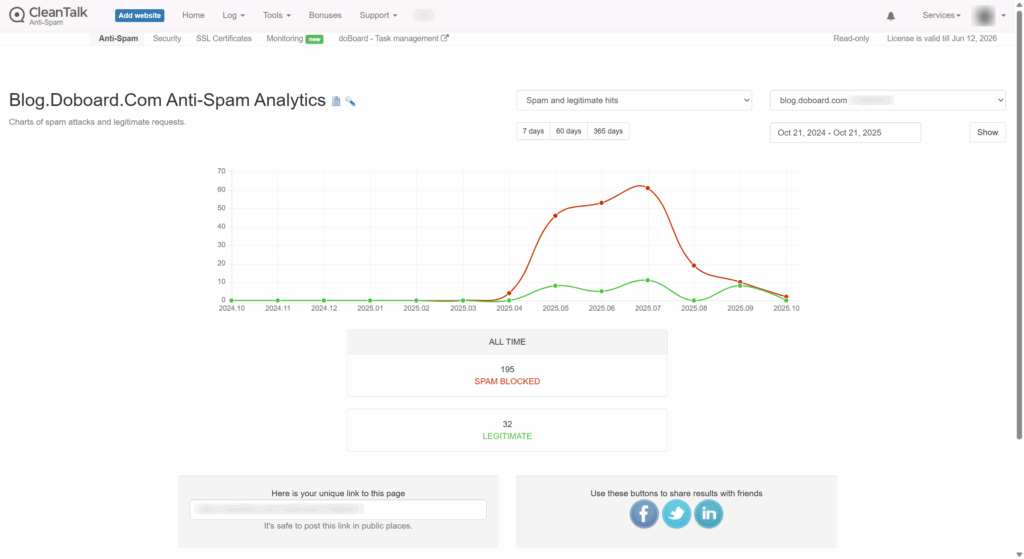
    3. Our blog, blog.doboard.com


    The blog was launched recently, and from the very beginning, it was clear that the number of spam attacks was high, but after some time, there was a decrease.

    4. Personal WordPress Test Site


    The following graph shows statistics for my personal WordPress site, which I use for testing.
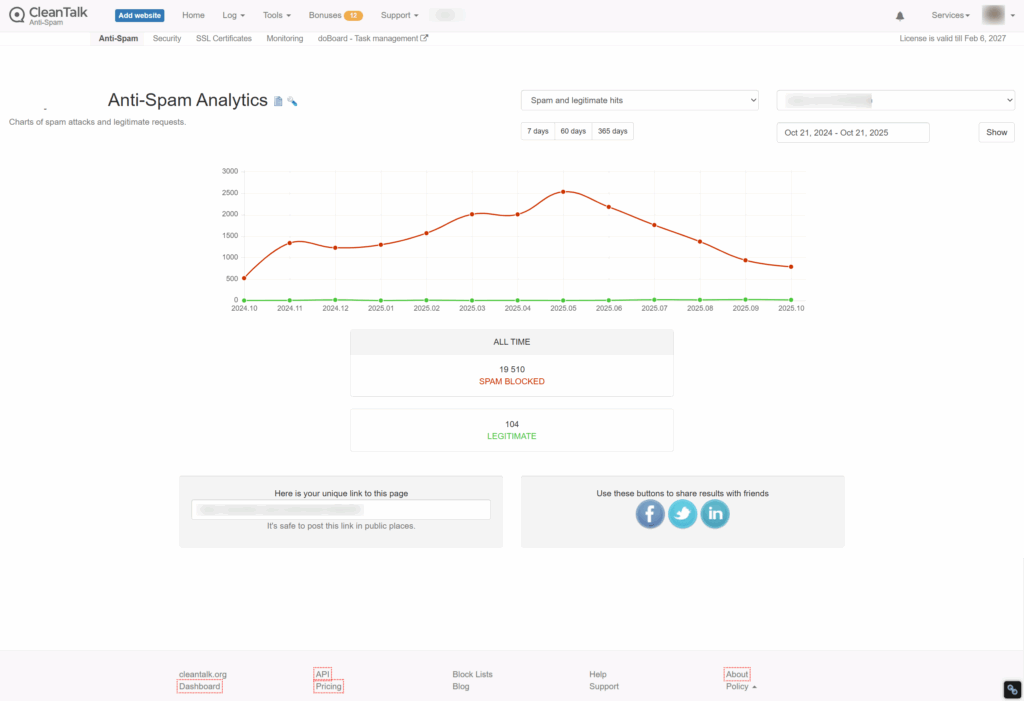
    The graph shows a steady increase, peaking in May and then declining.

    All time 19 510 spam blocked 10 21 2025 11 19 AM
    All time 19 510 spam blocked 10 21 2025 11 19 AM

    What Does This Tell Us?

    Based on this data, I can draw the following conclusions:
    the number of spam attacks does not show any trend, other than a possible seasonal factor.


    The number of spam attacks may not be linear from month to month or even from day to day. At some points, there may be more, at others, fewer. A low-traffic site like my test site can receive a much higher number of spam attacks than a site with more traffic, a larger number of articles, and a higher search engine ranking.

    What I did next?

    Now let’s talk about how a user can evaluate the difference between the amount of spam a client sees while using an anti-spam service and when the license expires.

    First, as you can see on our new site, the number of spam attacks increases as it gets added to spam lists.

    Second, when a client installs the CleanTalk Anti-Spam plugin, we have the SpamFireWall option. This option blocks spammers before they reach the site.

    CleanTalk Anti Spam Dashboard 10 21 2025 11 20 AM
    CleanTalk Anti Spam Dashboard 10 21 2025 11 20 AM

    As you can see from this table, we currently receive 12-14 spam attacks per day. These requests can be found, for example, in the spam folder on their site. On average, there were 57 spam attacks per week, and SpamFireWall (SFW) blocked another 350.

    Then, I disabled SFW, and the number of spam attacks reaching the website form immediately increased to 120 on average. So, we see that when using SFW, 50% of spam attacks reach the website and forms, and the remaining spam attacks were stopped by SFW and simply didn’t reach the website.

    Therefore, when assessing the amount of spam, we must also take into account the portion of SFW traffic that simply didn’t reach the website forms. You can track statistics for your sites in the Trends section of the ClanTalk Dashboard.

    To summarize

    The number of spam attacks is not constant and can be higher or lower. Also, when using SFW, you only see a portion of the spam reaching the forms on your website. Having or not having a CleanTalk license doesn’t affect the number of spam attacks.

  • Client Review: Climate Change Dispatch

    Client Review: Climate Change Dispatch

    We are happy to share feedback from one of our clients — Thomas, the owner of climatechangedispatch.com

    Great support, even better spam killer

    I was using Akismet for WordPress for years until I found Cleantalk. I got an email from Automaticc, which owns Akismet and Jetpack, stating that because I had some ads on my site, I had to pay a ridiculous amount of money. They gave me 30 days. I switched to Cleantalk as it was cheaper, and the difference was amazing.
    Not only did it catch spam, but the personal blacklists are a timesaver. No more hits or misses from imprecise wording in the Discussion settings. And the support is absolutely superb. The few times I’ve needed them, they were prompt and fantastic. The firewall and bot-crawler features are also a timesaver. Did you know that auto-bots crawl your site and slow it down? I’m talking spammy bots looking for email addies. This plugin stops them. And also prevents spam after spam from getting through via rate limiting. Try it out, and I swear you will rarely, if ever, have to get rid of spam manually. It’s that good!

    We thank Thomas for his detailed feedback and trust in CleanTalk.
    It’s always a pleasure to hear that our service helps clients protect their websites and save time.

  • Our Client’s Review: DIYB.CA

    Our Client’s Review: DIYB.CA

    We love sharing feedback from our users — and today’s story comes from Paul at DIYB.CA, originally posted on WordPress.org.

    CliUnbelievably Happy!

    I have lost track of how many spam blockers & techniques I’ve tried on client sites to ensure real leads make it to their inbox — but nothing has come close to CleanTalk! We use FluentForms, and when they recommended CleanTalk, it turned out to be a perfect match. Clear reports show what’s been blocked and what’s allowed. Easy to install, works flawlessly — and most importantly, my clients are happy. That makes it a winning product in my eyes.

    Thanks, Paul — and welcome to the CleanTalk club!

    🔗 Learn more about how CleanTalk works with FluentForms

  • CleanTalk Anti-Spam Added Direct Integration for WPZOOM Forms Plugin

    CleanTalk Anti-Spam Added Direct Integration for WPZOOM Forms Plugin

    We are glad to announce that CleanTalk Anti-Spam now offers direct integration for the WPZOOM Forms plugin, providing effortless and effective spam protection for WordPress users.

    What’s New?


    Starting from the latest version 6.60 for WordPress, CleanTalk Anti-Spam automatically protects WPZOOM Forms from spam submissions without the need for additional setup. The integration is designed to work out of the box and silently block spam bots before they even reach your inbox.

    How It Works


    CleanTalk uses its cloud-based spam detection service to analyze form submissions in real time. When a visitor submits a form via WPZOOM Forms, CleanTalk checks the request for spam activity. If the submission is deemed suspicious or spammy, it is blocked immediately — all without using CAPTCHA or annoying puzzles.

    Key Benefits

    • Advanced email validation — CleanTalk checks if the email address is real, disposable, or blacklisted
    • Spam bot behavior analysis — Detects bots by analyzing how the form is filled out (JavaScript, time of submission, etc.)
    • IP reputation check — Every submission is checked against CleanTalk’s global spammer IP database
    • No CAPTCHA required — Invisible protection for a better user experience
    • Fast and lightweight — Does not affect form or page speed
    • Automatic logging — Every blocked or allowed request is logged in your CleanTalk dashboard

    How to Enable Anti-Spam protction for WPZOOM Form

    Install the Anti-Spam plugin
    CleanTalk Anti-Spam for WordPress is a powerful plugin that blocks spam silently in the background. It also has direct integration with WPZOOM Forms, and here’s how to set it up:

    Go to your WordPress admin panel → Plugins → Add New.

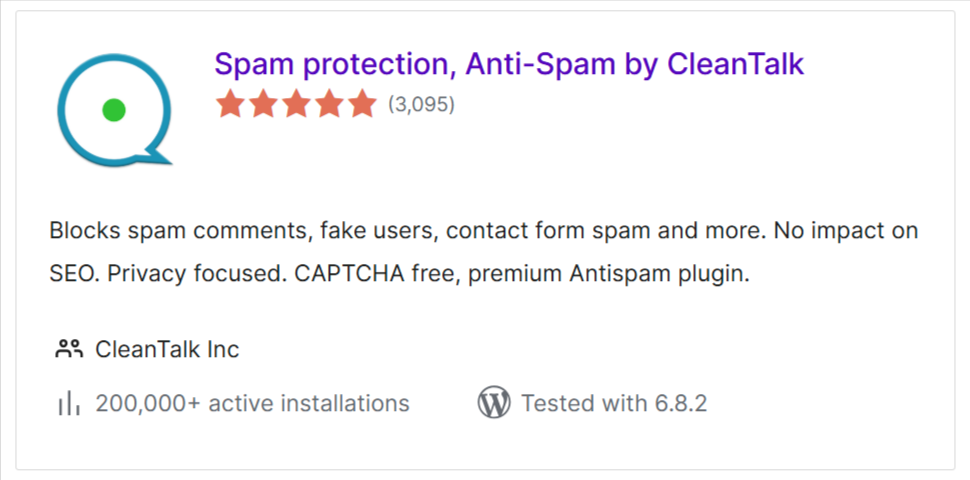
    In the search box, type “CleanTalk” and click Install on the result
    called “Spam protection, Anti-Spam, FireWall by CleanTalk”.

    Search Results for “cleantalk” WordPress org 07 22 2025 05 17 PM
    Search Results for “cleantalk” WordPress org 07 22 2025 05 17 PM

    After installation, click the “Activate” button.
    Then go to the plugin settings and click “Get Access Key Automatically” to activate protection.

    That’s it! CleanTalk will now start protecting all WPZOOM Forms on your website without any extra setup.

    How to Test Spam Protection of Your WPZOOM Forms

    Use this simple test to confirm that CleanTalk is active:

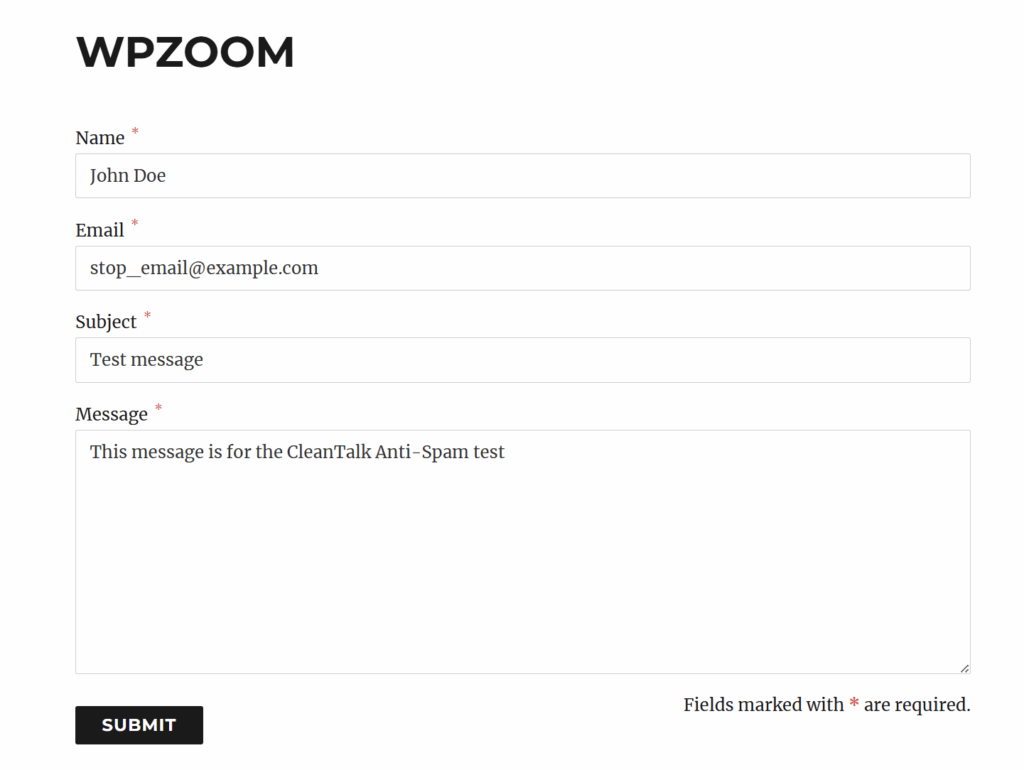
    • First, open a WPZOOM form on your site in an Incognito/Private browser tab
    • Enter this test email: stop_email@example.com
    • Submit the form
    wpzoom anti-spam protction
    wpzoom anti-spam protction

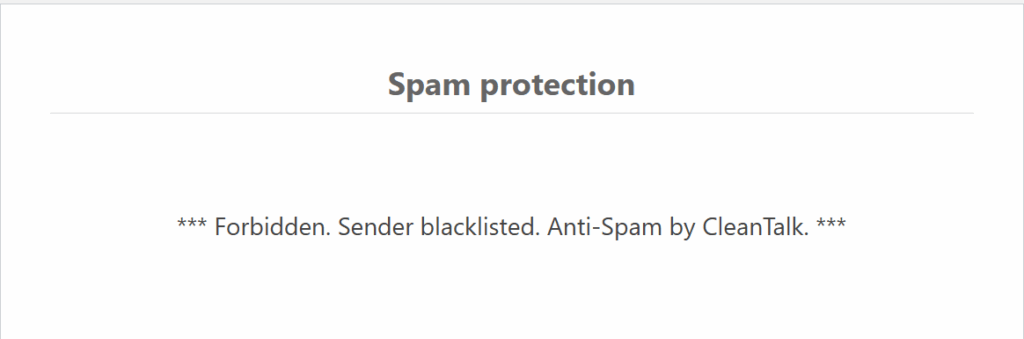
    You’ll see a message that the submission was blocked.
    That means the Anti-Spam plugin is now actively protecting your WPZOOM Forms from spam!

    Screenshot 2025 07 18 115513
    wpzoom spam block

    Enjoy the clean results!

    🔔 Important: You must test in Incognito mode because logged-in administrators are not blocked by default.


    If you have any questions, feel free to leave a comment — we’ll be happy to help.

    Protect your WPZOOM Forms from spam in minutes — with no extra setup and no CAPTCHA headaches.
    CleanTalk continues to expand its compatibility with popular WordPress plugins to keep your site clean, secure, and user-friendly.

    🔗 Learn more about CleanTalk Anti-Spam here: https://cleantalk.org/help

  • Stop Fake Emails: CleanTalk’s New Non-Existent Email Notification

    Stop Fake Emails: CleanTalk’s New Non-Existent Email Notification

    Spammers often use fake email addresses to hide their identities and avoid consequences for their actions. This can lead to a deluge of spam comments, registrations, and other unwanted activity on your website. To combat this, CleanTalk Anti-Spam has always had a powerful feature: Non-Existent Email Notification. But now, this feature has evolved to a new form—to be useful not only for site owners but also for site visitors! 

    Now, if the email you’ve entered into a form is somehow non-existent (for example, you made a typo in it), you’ll see it right away. No confusion, no hassles, no pain!

    How it Works:

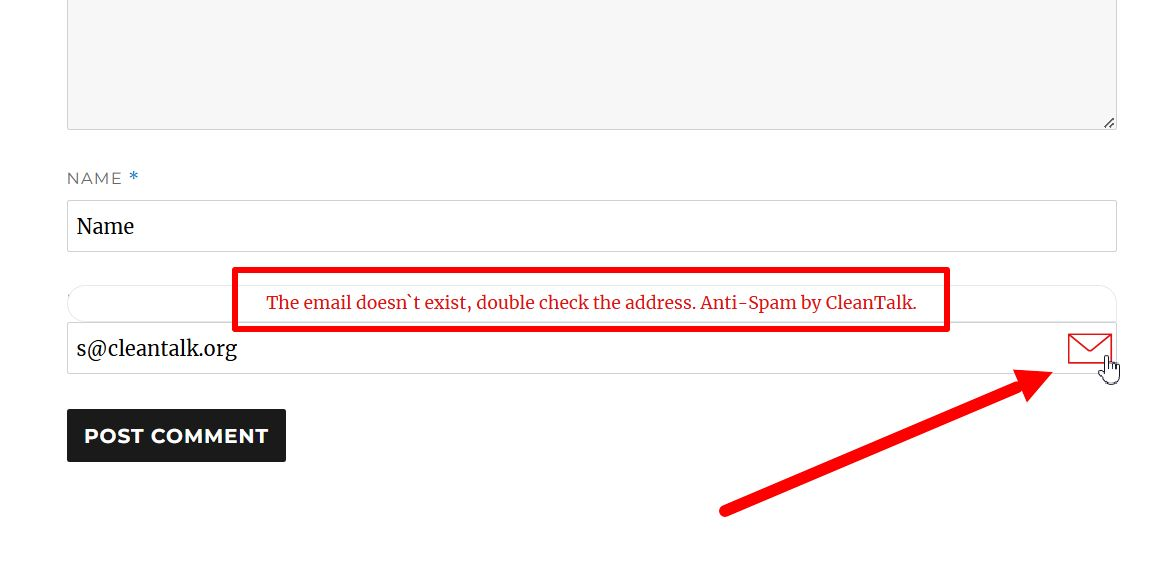
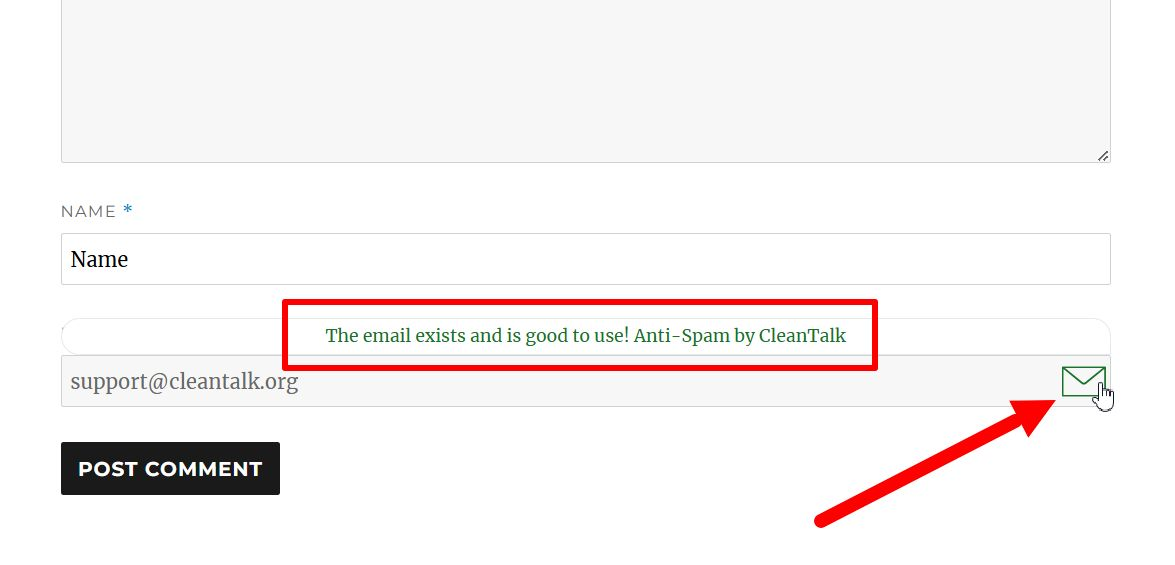
    When a user submits a form (such as a comment or registration form) on your website, CleanTalk’s system instantly checks the validity of the provided email address. If the email address is found to be non-existent or invalid, the user will receive an immediate notification. 

    An email is existent.

    An email is non-existent.

    Benefits:

    • Real-time feedback: This provides immediate alerts as you type, highlighting potential errors or typos in your email address.
    • Simple visual cues: Clear indicators like checkmarks or warning icons can quickly show whether an email address is valid or invalid.

    Experience the Difference

    By implementing CleanTalk’s Non-Existent Email Notification feature, you can significantly enhance the usability of your website while minimizing the impact of spam, and a new aspect of this feature provides even more comfort for your visitors!